Choose a plan and subscribe
Pick monthly or annual, click Choose Studio and pay in the checkout box inside Trackost. The plan starts a moment later, from Billing or from the plan wall.
Studio is the plan you subscribe to. It has every page and unlimited materials, for $49.00/mo, or $39.00/mo billed annually ($468.00 a year). Monthly starts at $1.00/mo for your first 3 months. You pay in a checkout box inside Trackost, and the plan starts a moment after the payment goes through. Only a member with money access can subscribe. You can subscribe at any time, including when your workspace is locked behind the plan wall.
Choose Studio
Open Settings › Billing. If your workspace is locked, you can use the plan wall on any page instead. It shows the same cards.
Under Change plan, pick Monthly or Annual. Monthly shows $1.00/mo for your first 3 months, then $49.00/mo. Annual shows $39.00/mo billed annually, which is $468.00 charged once a year. The $1.00 intro price is for monthly only.
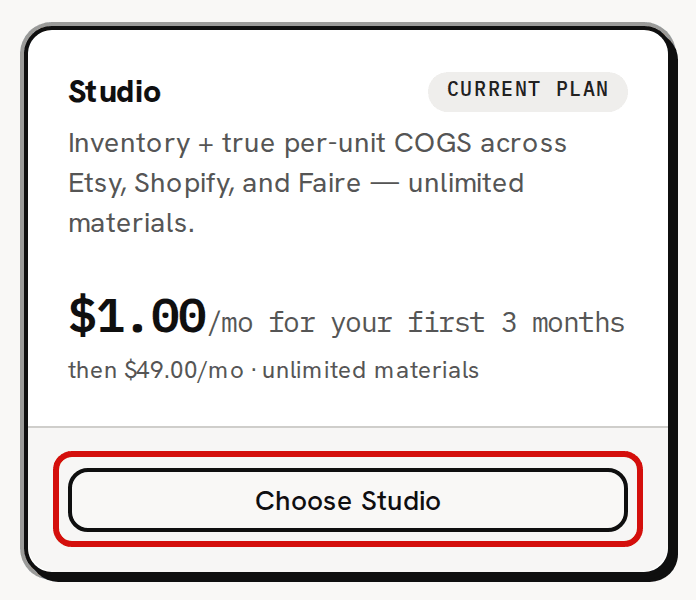
Click Choose Studio. The cards make way for the checkout box. If the button reads Current plan and can't be clicked, Studio is already your active plan. During a trial, and on the plan wall, the Studio card shows a Current plan badge too, but its button still reads Choose Studio and works.
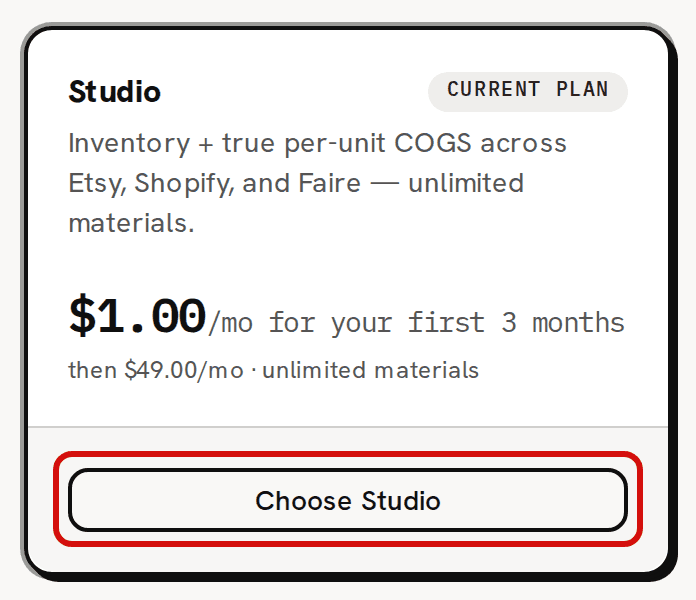
The button can be clicked when Studio isn't already your active plan.
Pay in the checkout box
The checkout box is titled Complete your subscription. Your summary is on the left and a secure card form on the right. The card form is run by Paddle, the company that takes Trackost's payments.
Check the summary: the plan, Monthly or Annual, and Total due today with its Subtotal, Tax and, on monthly, the Intro discount. Tax is worked out from the billing address you enter.
Enter your card details in the form on the right. A business can add its VAT or tax ID in the same form.
When 'Payment received' appears, click Done. The page updates itself a few seconds later as the plan starts. The badge turns Active. On monthly, the price shows the intro price and the day it ends, for example '$1.00/mo until Dec 24, 2026, then $49.00/mo'. On annual, it reads '$39.00/mo billed annually ($468.00/yr)'. The line under the price reads 'Renews' with your next renewal date. A new row appears in Payment history.

Once the intro months are over, a monthly plan shows its full price.

If the card form doesn't load, the box shows 'We couldn't load the payment form.' The line under it gives the reason, or reads 'Please go back to plans and try again.' when there is none. Click Back to plans and choose again.
Subscribe from the plan wall
When your workspace is locked, the plan wall shows the same Monthly and Annual choice and the same Choose Studio button. The checkout opens inside the wall. When the payment goes through, the wall comes off on the page you were on. About your 14-day trial and what happens when it ends explains what the wall keeps and blocks.
Good to know
- Choosing a plan needs money access. A member without it sees Money access required on Settings › Billing, and no plan cards on the plan wall. If they try anyway from a page left open, the answer is 'Billing requires money access.'
- Once Studio is active, there is no button to switch between monthly and annual: Choose Studio stays on Current plan whichever you pick. Email support@trackost.com to switch.
- There is no screen for changing the card on an active plan. Email support@trackost.com if your card changes.
- The Business card reads 'Price TBA' and 'Not available yet — launching with Amazon sync.' It can't be chosen yet.