Adjust stock (stocktake, spoilage, correction)
Correct a material's or product's count with a quantity change and a reason. Stock you remove leaves at the current unit cost and never changes it.
An adjustment changes the count of one material or one product variation, when your shelf and Trackost disagree. It is dated the moment you record it and written to your records in the same step, so your reports include it. Anyone on the team can adjust a count; only a team member with money access can give it a cost. When your trial or plan has ended, it answers 'Your plan has ended — subscribe to continue making changes.'
When to adjust
- A stocktake finds a different count from the one Trackost shows.
- Something spoiled, broke or went missing.
- A count was entered wrong.
- You took stock for personal use.
Don't use an adjustment for things Trackost records another way. A purchase goes in with Record purchase or a purchase order, and a batch or a sale takes its own stock out.
Record an adjustment
Open Inventory. For a product, click the Products tab first.
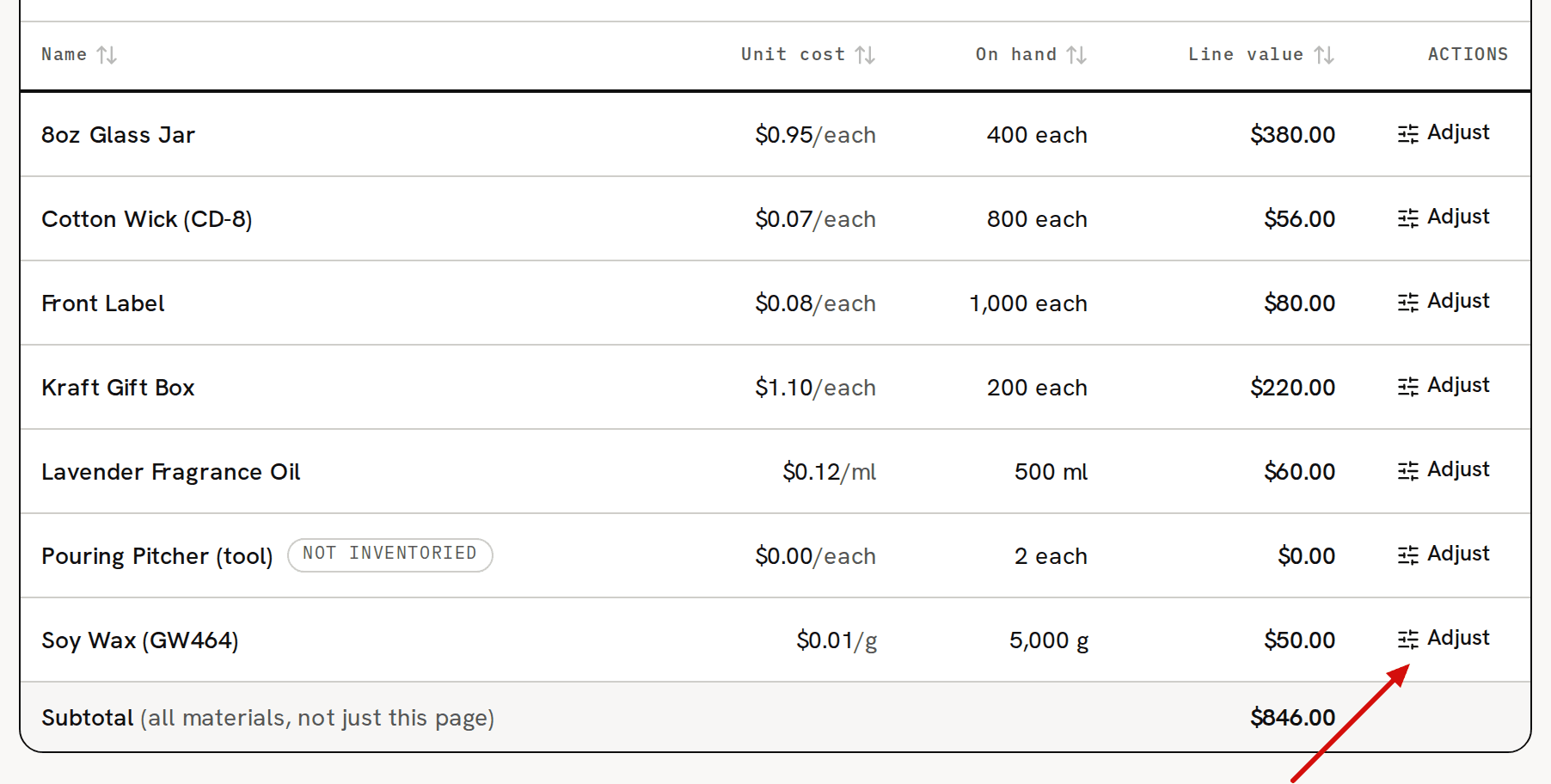
Click Adjust on the item's row. The page opens with the item's name and how many you have now.
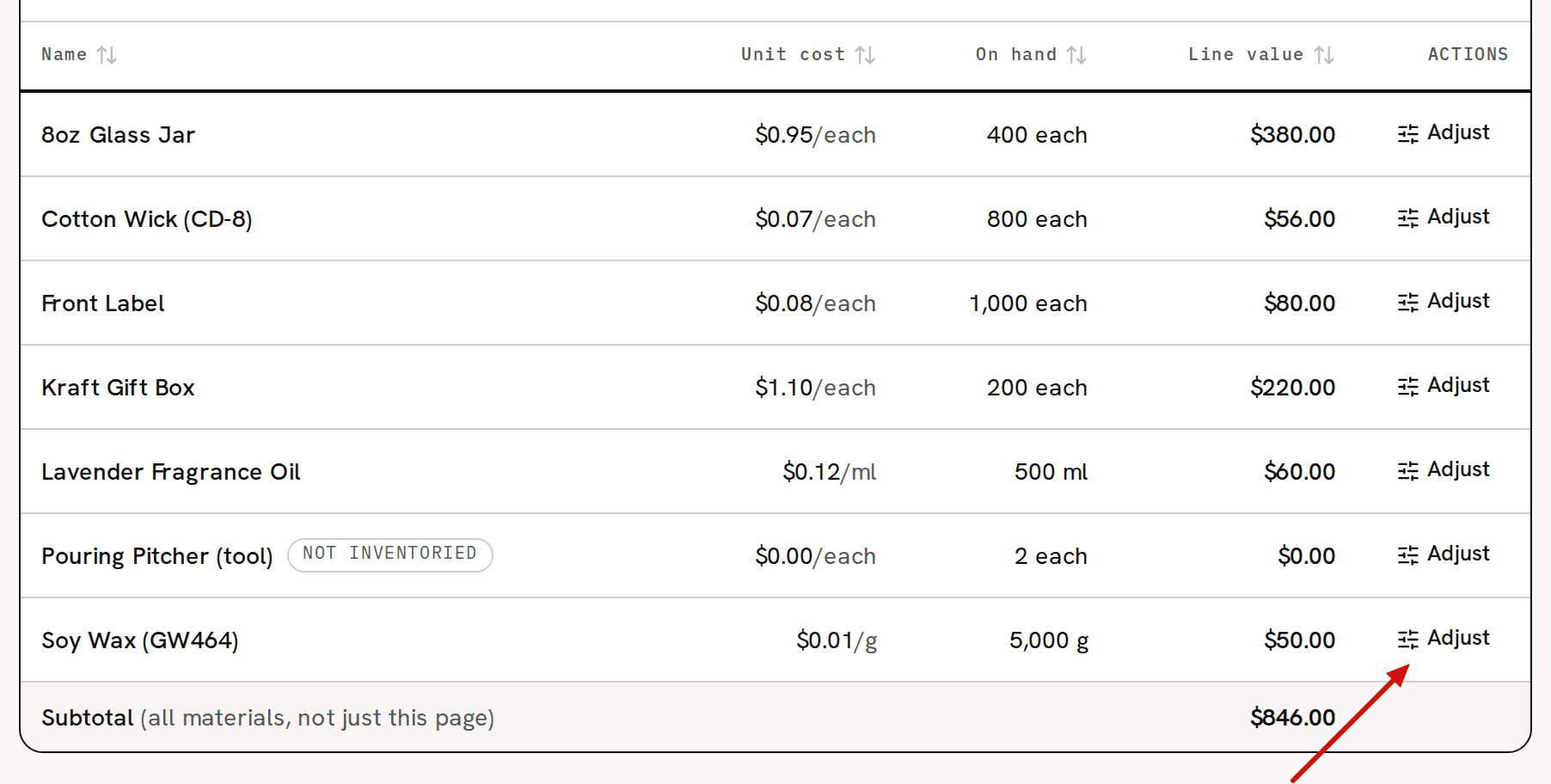
Adjust opens the adjustment page for that item. In Quantity change, type the difference, not the new count. A negative number removes stock and a positive one adds it. If Trackost shows 5,000 g and you count 4,990 g, type -10. Type it in the material's Tracking unit, not the unit you buy it in. The box names a unit in brackets, such as (g), but that is the material's Unit, which can differ from its Tracking unit.
Pick a Reason: Stocktake (count correction), Spoilage / loss, Correction or Opening stock. The reason groups the adjustment on your reports and changes nothing about its cost.
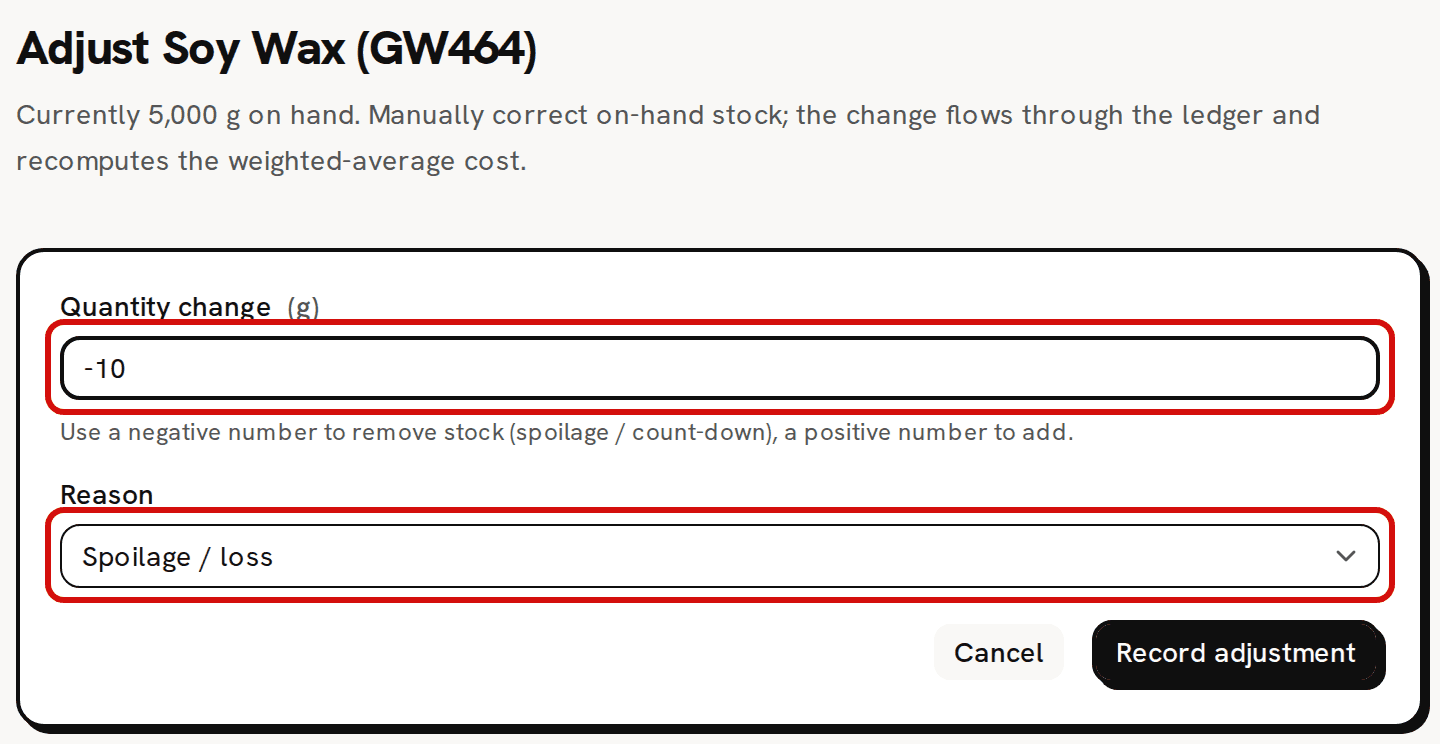
Taking stock out needs no cost basis: it leaves at the current cost. For a positive change, a Cost basis box appears. Leave it blank to add the units at the item's current unit cost, or give their total value. Add stock with a cost basis explains when you need one.
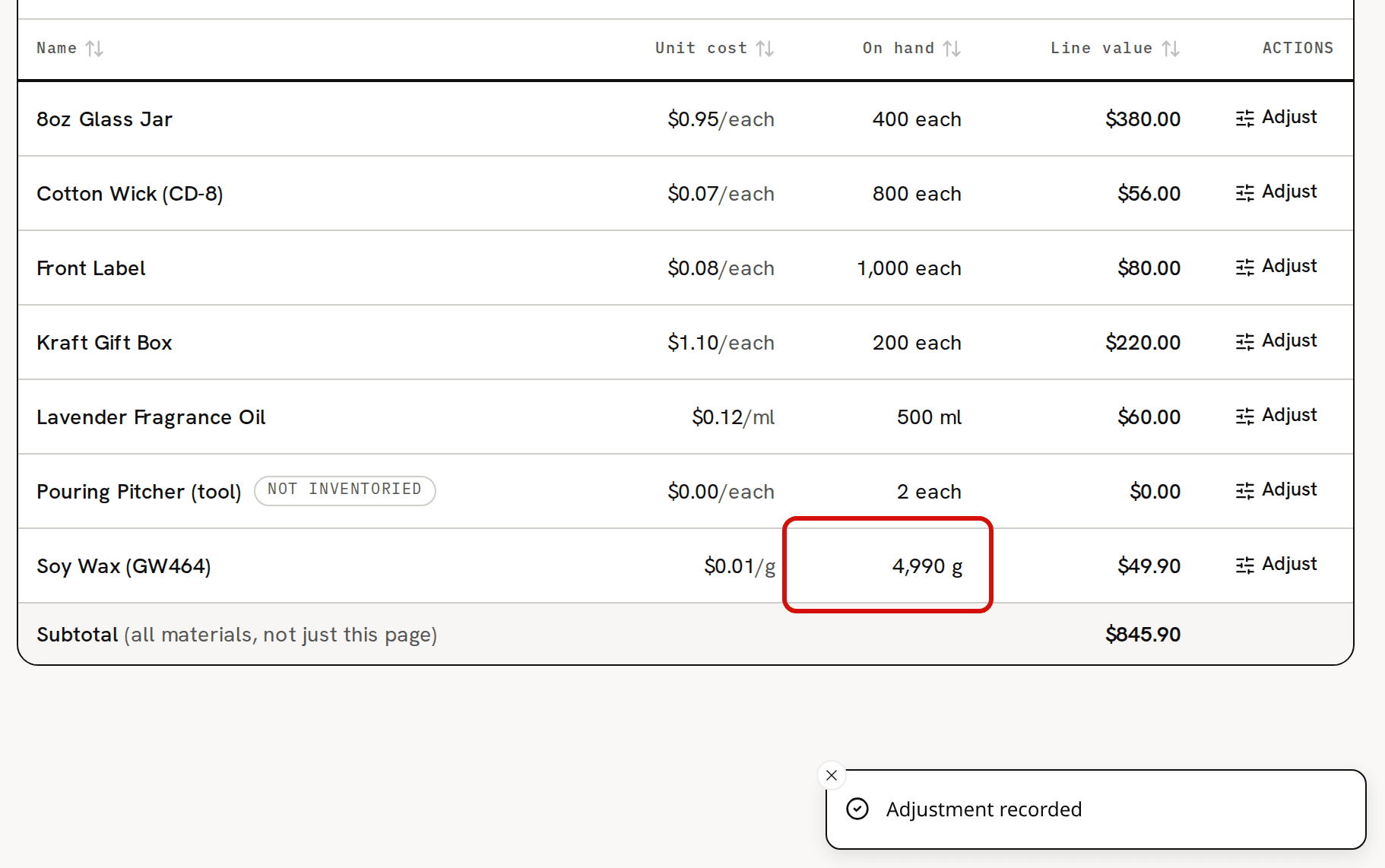
Click Record adjustment. 'Adjustment recorded' appears and you're back on Inventory, on the Materials tab. A material's row shows its new count; for a product, click the Products tab to see it.
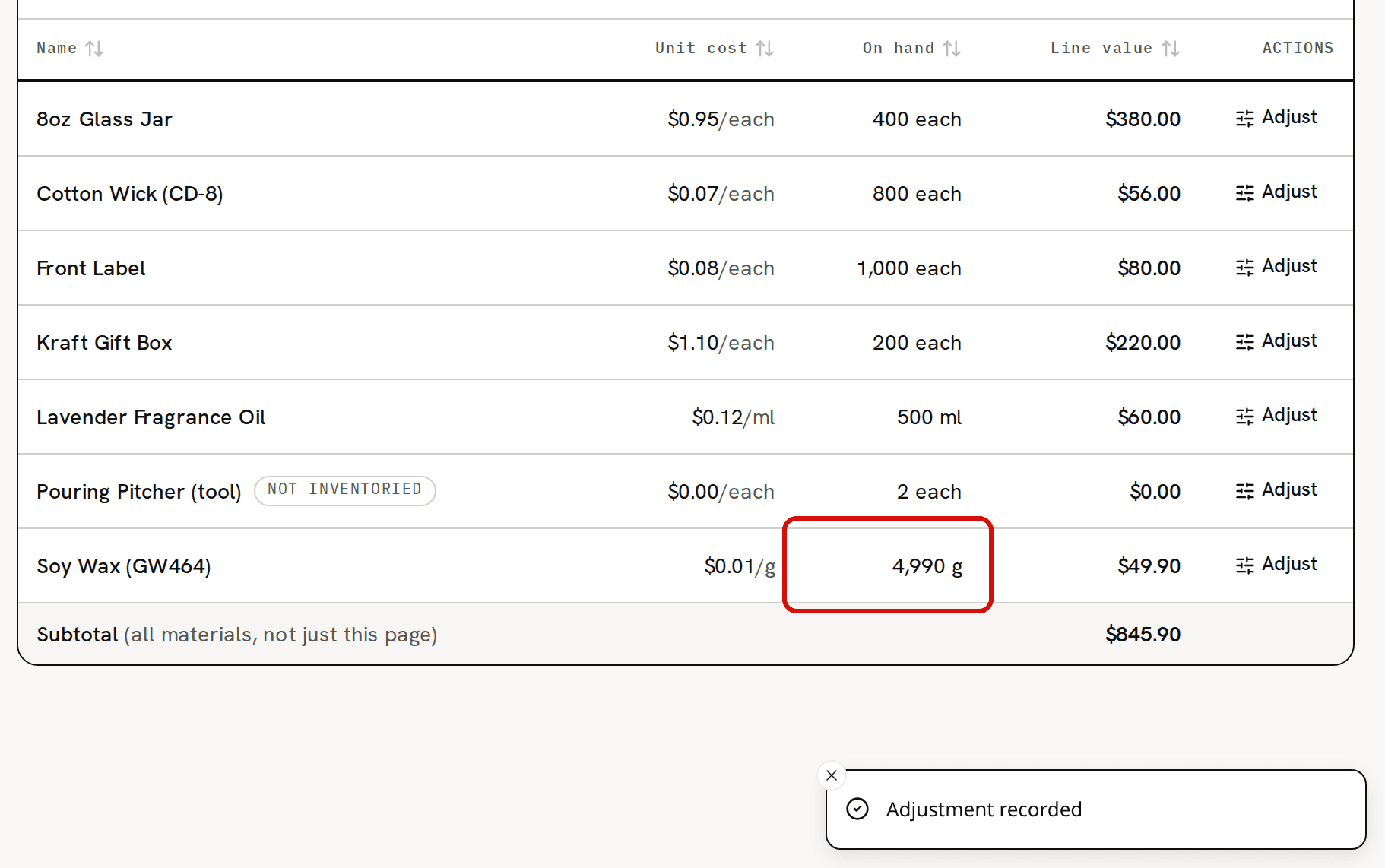
On hand moved by exactly the change; the unit cost did not.
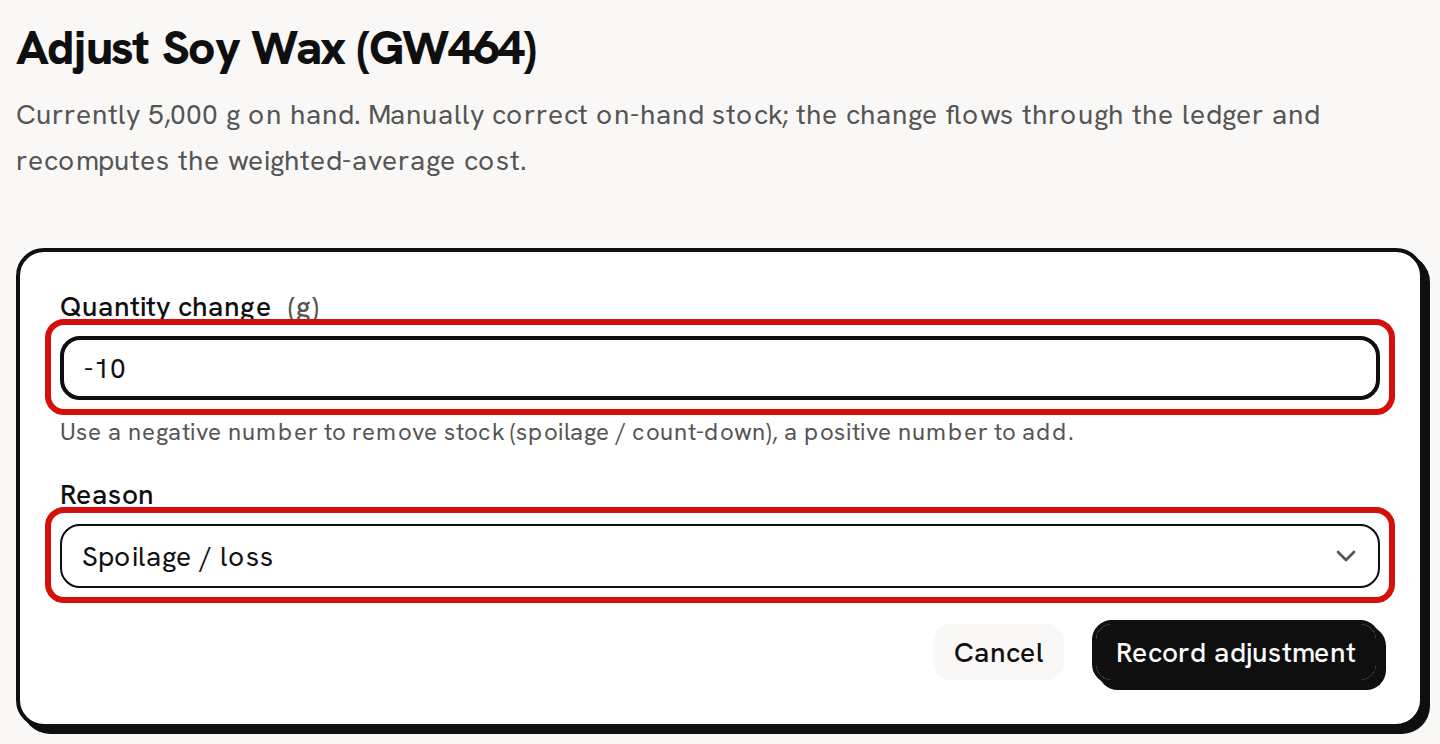
If a field is wrong, a red line above the buttons says so: 'Quantity delta can't be zero' for a change of 0, or 'Cost basis must be a valid dollar amount' for a cost basis that isn't an amount.
What changes, and what doesn't
- On hand moves by exactly the change.
- Stock you remove leaves at the current unit cost, and the unit cost stays the same. The line value drops by the change × the unit cost. Taking 10 g off the sample Soy Wax (GW464) leaves 4,990 g at $0.01/g.
- Stock you add without a cost basis comes in at the current unit cost, which stays the same. With a cost basis, the added units blend into the unit cost.
- Adding stock to an item with nothing on hand needs a cost basis. Without one, the form answers 'Add a cost basis — there's no existing stock to value this increase against.'
- An adjustment can't be edited or deleted. To undo one, record another the opposite way. That puts the count back, but not a unit cost that a cost basis changed. Stock you remove leaves at the current unit cost, so a wrong cost basis stays blended in. To reset the unit cost, take the count to zero, then add the stock back with a cost basis of what it is really worth.
- It is always dated the moment you record it, so you can't back-date it. It's refused while your inventory start date is after today, and east of UTC a start date of today can refuse it too, early in your day.
Going below zero
Trackost lets a removal take the count below zero. The message then reads 'Adjustment recorded — stock is now below zero', followed by a technical line that names the item by an internal id. The next purchase or batch that brings the count back above zero also settles its cost. Costing troubleshooting explains how.
Taking stock for personal use
There is no reason of its own for personal use. Record a negative adjustment with the reason Correction. The stock leaves at the current unit cost, like any removal, and the adjustment is counted under Correction on the Adjustments Summary report.
Where adjustments are reported
Reports › Adjustments Summary covers the period you choose. For each reason, it lists every item adjusted, with the total quantity change and the value added or removed across that item's adjustments, and a subtotal for the reason.
Stock you take out, such as spoilage, lowers your stock's value but isn't counted as a cost on Profit & Loss. It lowers that report's Purchases (inventory) line instead, and Net profit doesn't change.