About orders
What an order is in Trackost, how a manual order moves from Open to Fulfilled to Refunded, and why nothing is costed until you fulfill it.
The short answer
- An order is a sale. Creating it records what you sold. Fulfilling it takes the units out of stock, fixes their cost of goods sold (COGS) and shows the true profit.
- A manual order is Open, then Fulfilled, then Partially refunded or Refunded if something comes back.
- An order can't be edited, canceled or deleted once you create it.
- The order's page keeps the figures from the day you fulfilled it. Returns show in its Returns history and in the reports that read your ledger.
What is an order in Trackost?
An order is one sale: who bought, when, which product variations at what price, and the shipping, tax and fees that came with it. You enter a sale by hand with New order on the Orders page. That is a manual order, and every order in this help center is one.
Orders from a connected shop land on the same page. Connecting a sales channel (Shopify, Etsy or Faire) isn't covered in this help center yet. Email support@trackost.com and we'll walk you through it.
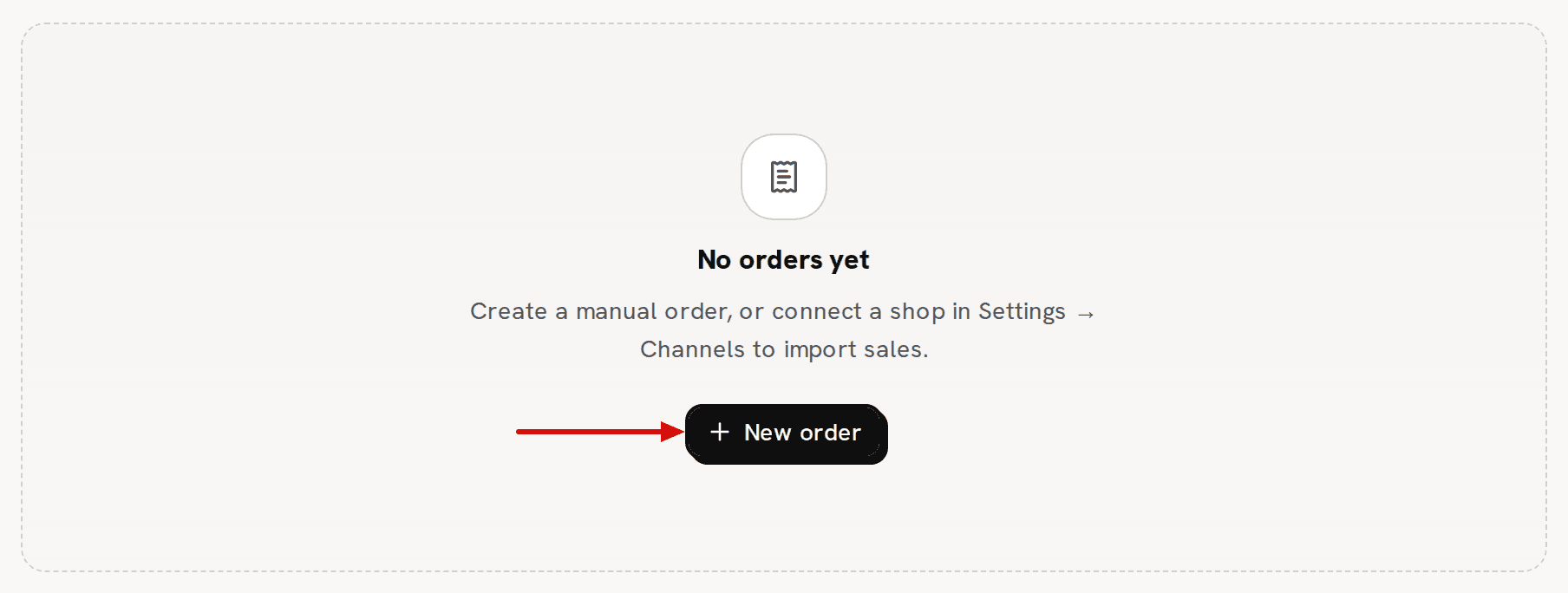
A new workspace has no orders. The page says 'No orders yet' and offers New order.
How does an order move from Open to Refunded?
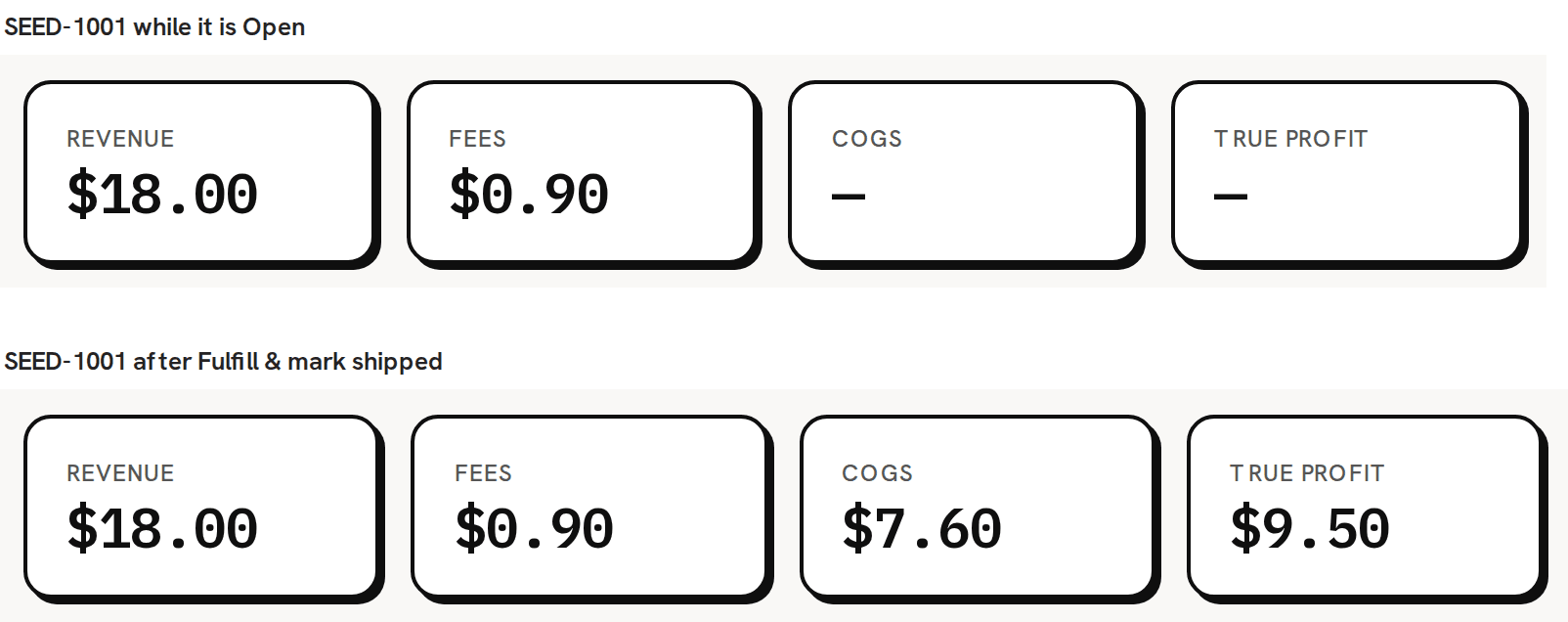
- Open: you created it and haven't shipped it. No stock has moved and nothing is costed.
- Fulfilled: you clicked Fulfill & mark shipped. The units left your stock, and each line has its COGS and profit.
- Partially refunded: you recorded a return for some of the units.
- Refunded: every unit on the order has been returned.
An order with a line you typed as free text, not matched to a product, stays Open after you fulfill it. Its matched lines are costed; the unmatched line is costed once you match it and fulfill again.
A manual order is never Cancelled. That status only comes from a connected shop. A manual order is also never marked paid, so the Only unpaid filter shows every manual order you have.
Why is nothing costed until I fulfill?
Because a sale only costs you something once the goods leave. When you create an order, Trackost records it and changes nothing else. No stock moves, nothing is costed and nothing is written to your ledger. When you fulfill it, Trackost takes the units out of stock and sets each line's COGS to the quantity times the variation's weighted-average cost at that moment. That COGS never changes afterwards.
The ship date you pick when you fulfill is the day the sale counts in your profit reports. The order date is the day it was placed. The order reports (Orders Summary, Orders Margin) file an order by its order date; the Profit & Loss files the sale by its ship date.
Can I change or cancel an order?
No. There is no edit, cancel or delete for an order. The lines, prices, shipping, tax, fees, notes and dates are set when you click Create order.
- If you already fulfilled the wrong order, record a return of every unit, with Restock the returned units (add them back to inventory) ticked and the full refund. The units go back into stock, and the sale's revenue and COGS come off the reports that read your ledger (Profit dashboard, Profit & Loss, Schedule C (COGS)). Orders Summary, Orders Margin, Orders by category and Product Leaderboard keep the order's money as it was fulfilled. Product Leaderboard does take the returned units off its unit count. Any fees you typed on it stay on the Profit dashboard, because a return doesn't give fees back. The order stays on the list as Refunded, and the order and its return both stay on record.
- If the wrong order is still Open, it hasn't moved any stock or cost. Leave it Open and never fulfill it. Don't record a return on it. A return on an open order takes back $0.00 of cost, and with restock on it adds units to stock that never left. An open order still counts in Orders Summary, which counts every order you have entered. It also adds its units and revenue, with no cost, to Product Leaderboard, Orders by category and the dashboard's True margin by product, so a product that also has shipped orders shows a profit and margin that are too high there.
Then record the sale again, correctly, with New order.
What does the Orders page show?
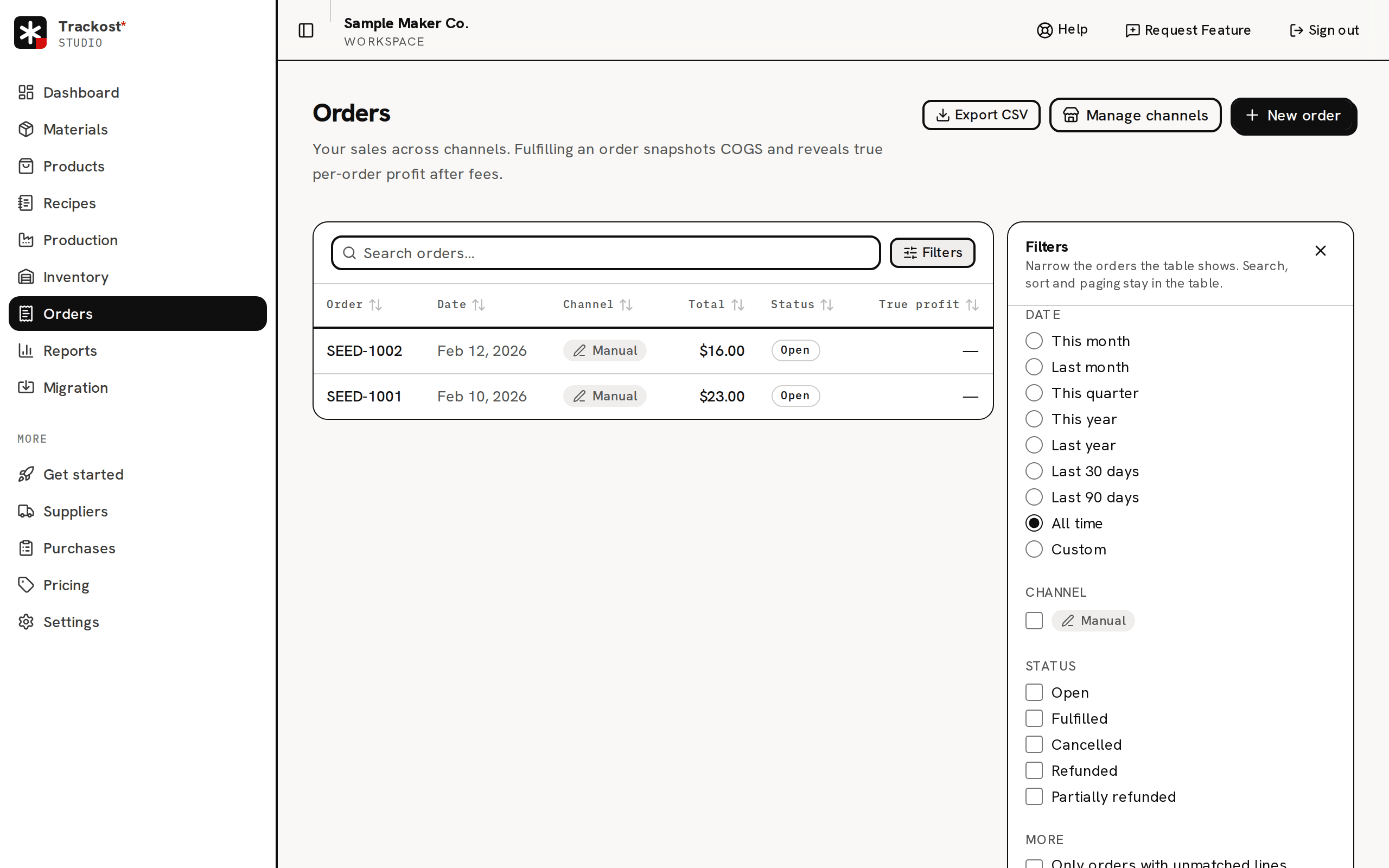
One table of every order, newest first, with the columns Order, Date, Channel, Total, Status and True profit. The date is the order date. Channel reads Manual for an order you entered. True profit reads '—' until the order is fulfilled. Click a row to open the order.
- The search box looks through order numbers, buyer references, product names and SKUs, and the amounts shown.
- Click a column heading to sort by it. The table shows 20 orders a page.
- The Filters panel beside the table narrows it by date, channel, status and two checkboxes under More: Only orders with unmatched lines and Only unpaid. Pick what you want and click Apply. The date starts on All time.
- Export CSV downloads every order, whatever the filters show.
The Manage channels button and the channels list under the filters are for connected shops. Connecting a sales channel (Shopify, Etsy or Faire) isn't covered in this help center yet. Email support@trackost.com and we'll walk you through it.
The Total on the list and on the invoice is the order's subtotal plus shipping and tax. Fees are not in it. The order's own page shows no total: its cards show Revenue and Fees.
Who can see money on orders?
Every team member can see the Orders page, open an order, fulfill it, match a line and print its packing slip. A member without money access sees the list without Total and True profit, and an order without its money cards, prices, Record return and Invoice. They can't create an order. Create order refuses them with 'Creating an order requires money access.'
If your trial or plan has ended, every page opens behind the plan wall, your orders included, and nothing behind it can be read or clicked. A page left open in another tab refuses creating, fulfilling and returning with 'Your plan has ended — subscribe to continue making changes.' About your 14-day trial and what happens when it ends explains the wall and how to download your data while it is up.