Why is COGS zero on a sale?
A fulfilled order shows $0.00 COGS and a margin that is far too high. Find out why the product had no cost when it shipped, and fix the sales after it.
The short answer
- A line's COGS is set once, when you fulfill the order: the quantity times the product variation's weighted-average cost at that moment. $0.00 means that cost was $0.00.
- The usual cause is a product with no completed batch and no cost basis, or a batch made from materials that had no cost yet.
- Selling more than you have doesn't cause a $0.00 COGS. A line that isn't matched to a product has no COGS at all.
- Fixing the cause corrects the sales that come after it. Trackost never re-costs an order it has already fulfilled.
How COGS is set
When you click Fulfill & mark shipped, Trackost multiplies each line's quantity by the weighted-average cost of its product variation at that moment and stores the result on the line. That is the line's COGS, and it never changes afterwards. The order's COGS card adds up its lines, True profit is revenue minus fees minus COGS, and Margin is true profit divided by revenue. Only team members with money access see these cards.
The weighted-average cost comes from what put the stock there:
- For a product you make, your completed batches: the materials each batch used, at their own weighted-average costs, plus labor.
- For a product you buy in, the Cost basis you give when you add its stock on Inventory.
Nothing else gives a product a cost. Until one of those happens, it is $0.00.
COGS reads '—' on an Open order
Nothing is wrong yet. An order has no COGS until you fulfill it, so its COGS, True profit and Margin cards read '—'. Fulfill it when the goods leave. Fulfill an order and see its true profit walks through it.
COGS reads $0.00 on a Fulfilled order
The product variation's weighted-average cost was $0.00 when you fulfilled, so the whole price counts as profit. Margin reads 100.0% when the order has no fees, and falls short of that only by the fees.
Open Orders and click the order. Read its COGS, True profit and Margin cards.

No cost had reached the product, so the whole price reads as profit. In the lines table below the cards, find the line whose COGS reads $0.00. Its product is the one to check, starting with Check 1.

Check 1: did the product ever get a cost?
- Open Inventory and click the Products tab.
Find the product's row and read its Unit cost. It is the weighted-average cost the sale used, unless a batch or a cost basis has moved it since.
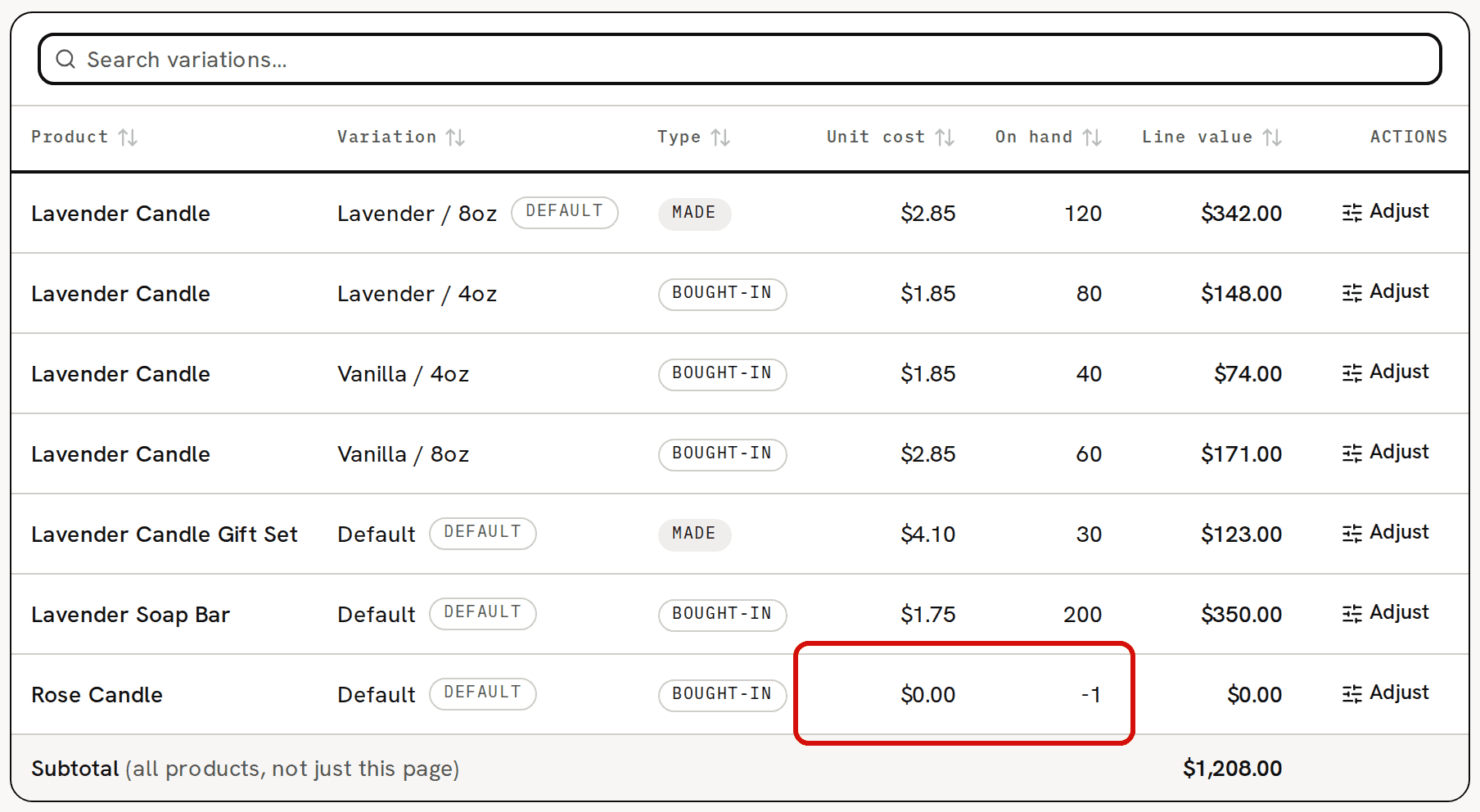
$0.00 means nothing has given the product a cost yet.
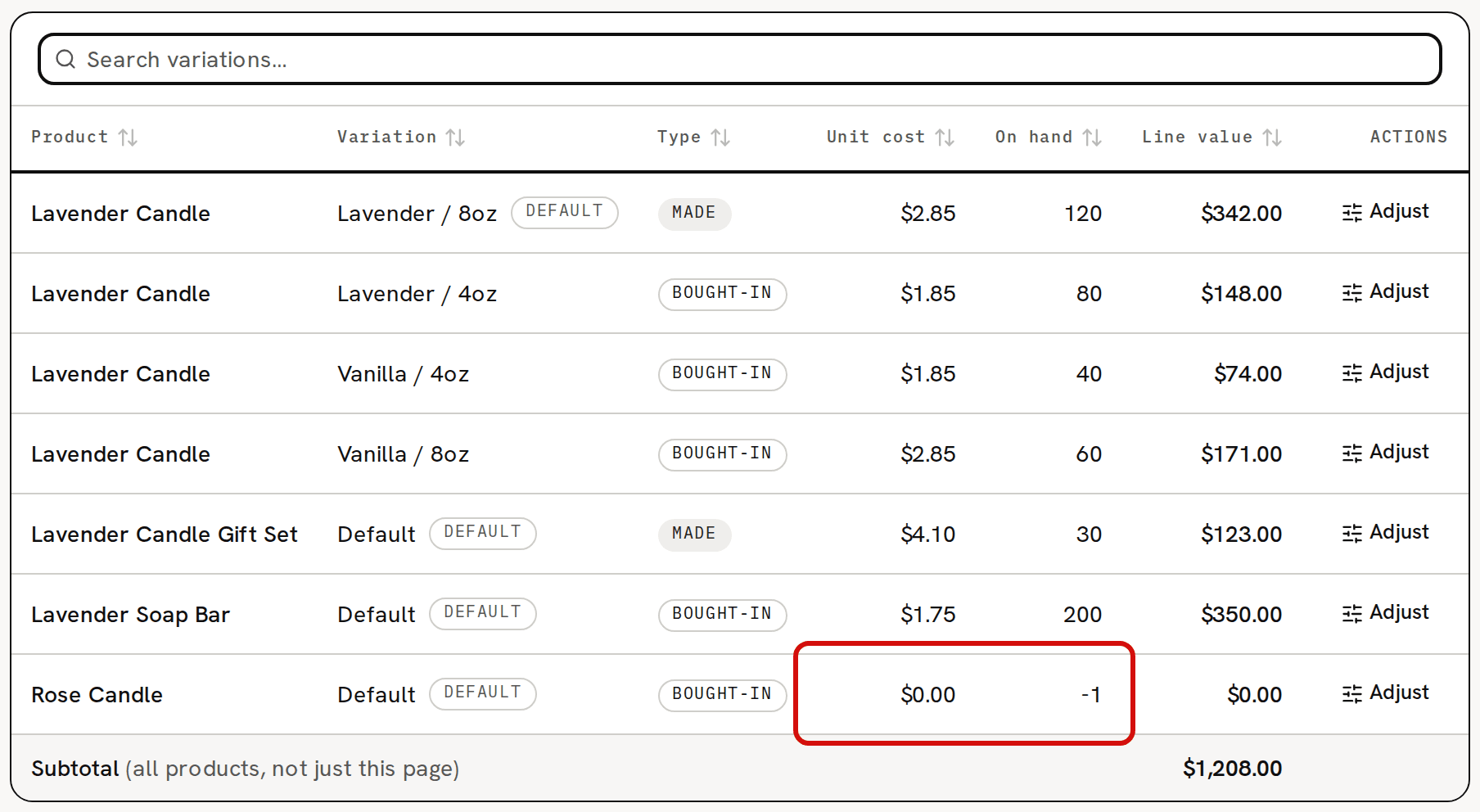
$0.00 there means no batch of that variation has been completed and no stock was added with a cost basis, unless its batches themselves cost $0.00 (Check 2). A product that never had a batch or a cost basis had nothing on hand either, so the sale also took its count below zero, as in the picture. That is why the same order shows the 'Untracked production' banner and a Negative stock badge on the line. Negative stock troubleshooting explains the banner.
Check 2: did the batch itself cost $0.00?
If the product has completed batches, open Production and click the product name on the batch's row to open it. Its Total cost is what its materials cost when it started. $0.00 there means the materials it used had no cost when it started, usually because no purchase or opening stock had been recorded for them yet. Costing troubleshooting covers a material at $0.00.
The batch's Unit cost then holds only labor. It is $0.00 too when no labor rate is set, which is how a new workspace starts, or when the recipe has no labor minutes. Set your hourly labor rate shows where the rate lives. A batch that cost too little makes every sale from its stock cost too little.
Check 3: is a line unmatched?
If the order still reads Open after you fulfilled it, one of its lines isn't matched to a product. A line you added as Free text on a new order stays unmatched unless its SKU is exactly the SKU of one of your variations. An unmatched line has no COGS. Its COGS column reads '—', the order's COGS and True profit cards leave it out, and a banner above the lines reads '1 line unmatched — COGS isn't tracked for it; match it to a variation to fulfill.'
Fulfilling costs the matched lines and leaves the order Open. To finish it:
- Open the list in the unmatched line's row, which reads Match a product…, and choose the product variation.
- Click Match. 'Line matched' appears.
Click Fulfill & mark shipped again. The line is costed at the variation's weighted-average cost at that moment, and the order becomes Fulfilled. The lines you fulfilled before keep their COGS.
Fix the cause
If a sale that went out at $0.00 has to carry a cost, read What doesn't change before you fix anything. Its procedure starts with a return, before the fix.
What to record depends on the check that found it:
- Check 1, a product you make: record the purchases its materials are missing, then log the batch you made. Make a batch now walks through it.
- Check 1, a product you buy in: add its stock on Inventory with a Cost basis. Add stock with a cost basis walks through it.
- Check 2, a batch made from materials with no cost: record the purchases for those materials. Don't also change the product's cost with Adjust. The next paragraphs say why.
The fix also settles the missing cost, on the units that come after it.
For a product below zero (Check 1), the batch or cost basis that fills the gap charges the units that went out at $0.00 to the units left, which then read above their own cost until they sell. For example, the sample Rose Candle sold 1 at $0.00 and stands at -1. Adding 10 with a cost basis of $60.00 leaves 9 at $6.67 each. The 10 candles still add up to their $60.00, but the missing $6.00 lands on the later sales. The batch or cost basis has to bring the count above zero, or it is refused.
For a batch made from materials with no cost (Check 2), those materials had usually never been bought in Trackost, so the batch took them below zero. The purchase you record afterwards fills that gap first. The grams the batch used were costed at $0.00, so the whole purchase is charged to what's left. Wax at -2,000 g, bought as 5,000 g for $50.00, costs $0.0167 a gram afterwards (the page rounds it to $0.02), where you paid $0.01. The material, its recipes and the next batches read above the price you paid until that stock is used, and those batches blend with any $0.00 units still in stock. The first sales are costed too low and the later ones too high, but across them the product's cost adds up to what you spent. At 200 g of wax a unit, 10 made at $0.00 and 15 more at $3.33 come to about $50.00, which is 25 units at $2.00.
The product needs no Adjust of its own, because the purchase already carries the missing cost and the material cost would count twice. To correct the product at once instead, use the two Adjust entries in Why did my unit cost change after a purchase? on the product and on each of those materials, setting each to what its stock cost you.
What doesn't change: the $0.00 already recorded
Trackost never re-costs a fulfilled order. Fixing the cause corrects the sales after it. That one keeps its $0.00, and its profit stays too high in the reports for its period.
If the sale has to carry a cost, the only way is to reverse it and record it again. That works for a product that never had a cost (Check 1). For a batch made from materials with no cost (Check 2), leave the sale as it is. A sale recorded again would be costed at $0.00 again, or, once a new batch is made, at an average that already carries the missing cost, because recording a purchase never changes the product's own cost and the purchases already charge the missing cost to the next batches.
Return first, before you fix the cause. On the order, click Record return. The form starts with every line at its full quantity. Set every other line to 0, and return only the line that went out at $0.00, all of its units, with restock on and its full refund. A returned line that had its real cost would come back at today's average, and refunding an unmatched line takes off revenue that was never counted.
Do the same on every other order that sold this product at $0.00, so its count comes back to zero. With 5 sold at $0.00 and only 1 returned, the count stays at -4, and a batch of 10 at $3.00 would leave 6 at $5.00.
- Fix the cause, as above. With the count at zero, the batch or cost basis sets the product's cost exactly.
Record each returned line again as a new order with Create order, and fulfill it. It is costed at the new cost. If the first order had fees, leave Fees ($) empty on the new one. A return doesn't take fees back, so they would count twice.
The order matters because a restocked return puts the units back at the product's current weighted-average cost, without changing it. If you have already fixed the cause, return the $0.00 sales the same way, then correct the product with the two Adjust entries in Why did my unit cost change after a purchase? before you record them again. After a cost basis of $60.00 for 10 and a return of its $0.00 sale, the sample Rose Candle holds 10 at $6.67. Taking the 10 out and adding them back with a Cost basis of $60.00 leaves them at $6.00, and the sale recorded again books $6.00. This is exact only if none of the product has sold since the fix. Once some has, those sales already carried part of the missing cost, and recording the $0.00 sale again charges that part twice, so leave it.
If the first order came from a connected shop, the new one is a manual order, so the Profit dashboard grouped by Channel lists the sale under Manual and the return under the shop. Connecting a sales channel (Shopify, Etsy or Faire) isn't covered in this help center yet. Email support@trackost.com and we'll walk you through it.
Find every sale that went out at $0.00
There is no filter for it. Open Reports › Orders Margin, choose All time, and go down the COGS column. A fulfilled order that reads $0.00 went out without a cost, and its Margin reads 100.0% if it had no fees. An order showing '—' there hasn't shipped yet. The report shows each order as it was fulfilled, before any return, so an order you returned and recorded again still lists its $0.00, next to the new order's row.
An order that also sold other, costed products adds their COGS to its row, so it doesn't read $0.00 there. To catch those, open Orders, search for the product you found in Check 1, open each fulfilled order and read the COGS column of its lines.