Make a batch now
Record a batch you have finished: pick the product and quantity, check the consumption preview, then click Make it now to use the materials and set its cost.
Make it now records a batch you have already made, in one click. Trackost takes the recipe's materials out of stock, works out what each unit cost, and adds the finished units to the product. The batch is dated the moment you click, and nothing asks you to confirm. When your trial or plan has ended, it answers 'Your plan has ended — subscribe to continue making changes.' instead.
Before you start
The product you made needs an active recipe. The planner lists only variations that have one, and with none it shows 'No recipes to produce yet' and a Go to Recipes link.
Record the purchases of the materials you used first, so the batch is costed at what they cost you. Short stock never stops a batch, so you can record it even if a material ran out.
Make the batch
Open Production in the sidebar and click Plan a run.
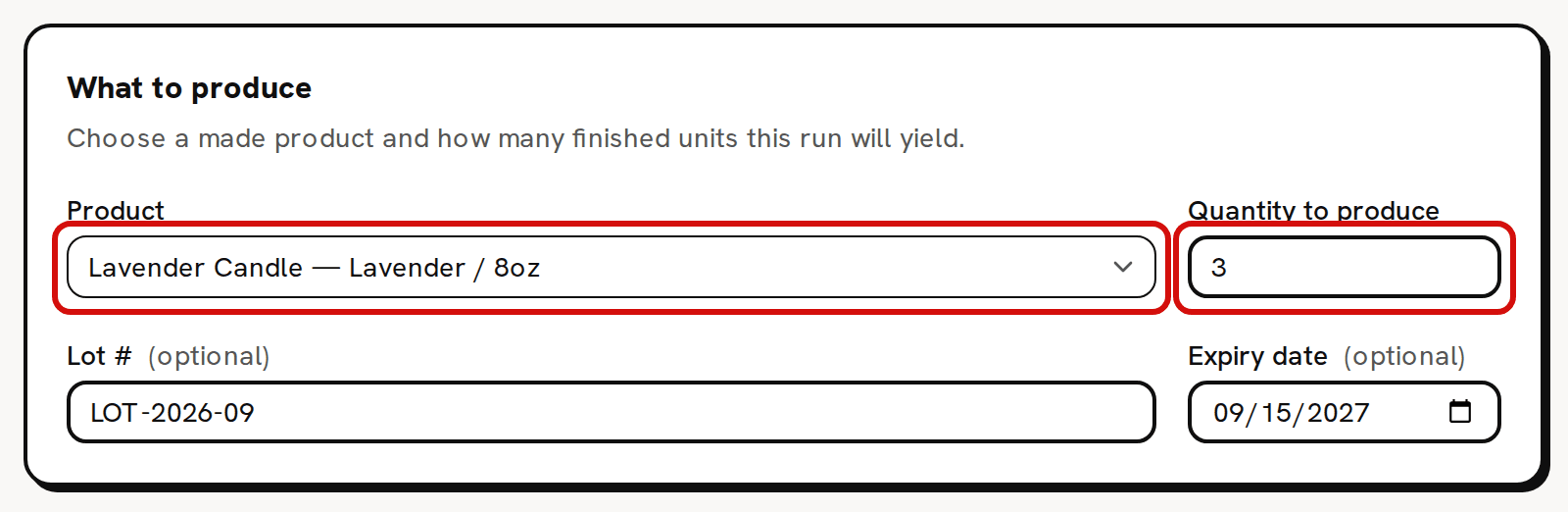
Under What to produce, pick the Product you made. Each option reads product — variation, such as Lavender Candle — Lavender / 8oz. The first product in the list is already picked when the page opens, so check it's the one you made.
Type the number of finished units in Quantity to produce. Make it now stays unavailable until a product is picked and the quantity is above 0.
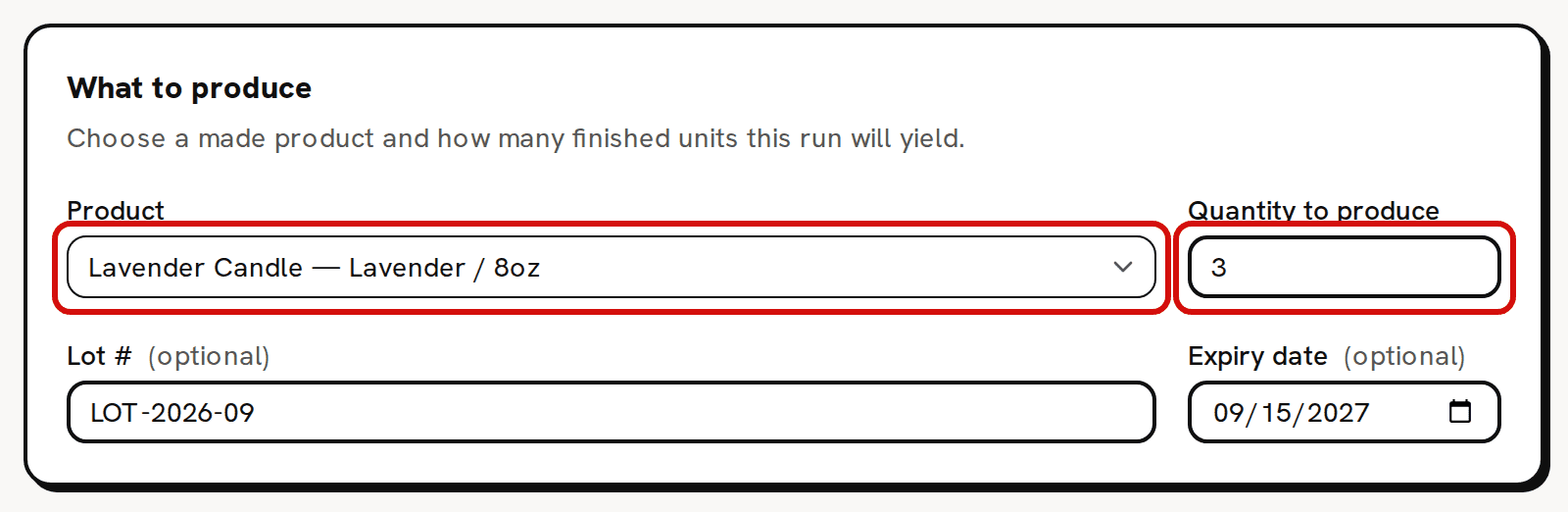
Pick the variation and how many you made. Lot # and Expiry date are optional. Optionally type a Lot # and pick an Expiry date. They stay on the batch for your records and don't change its cost.
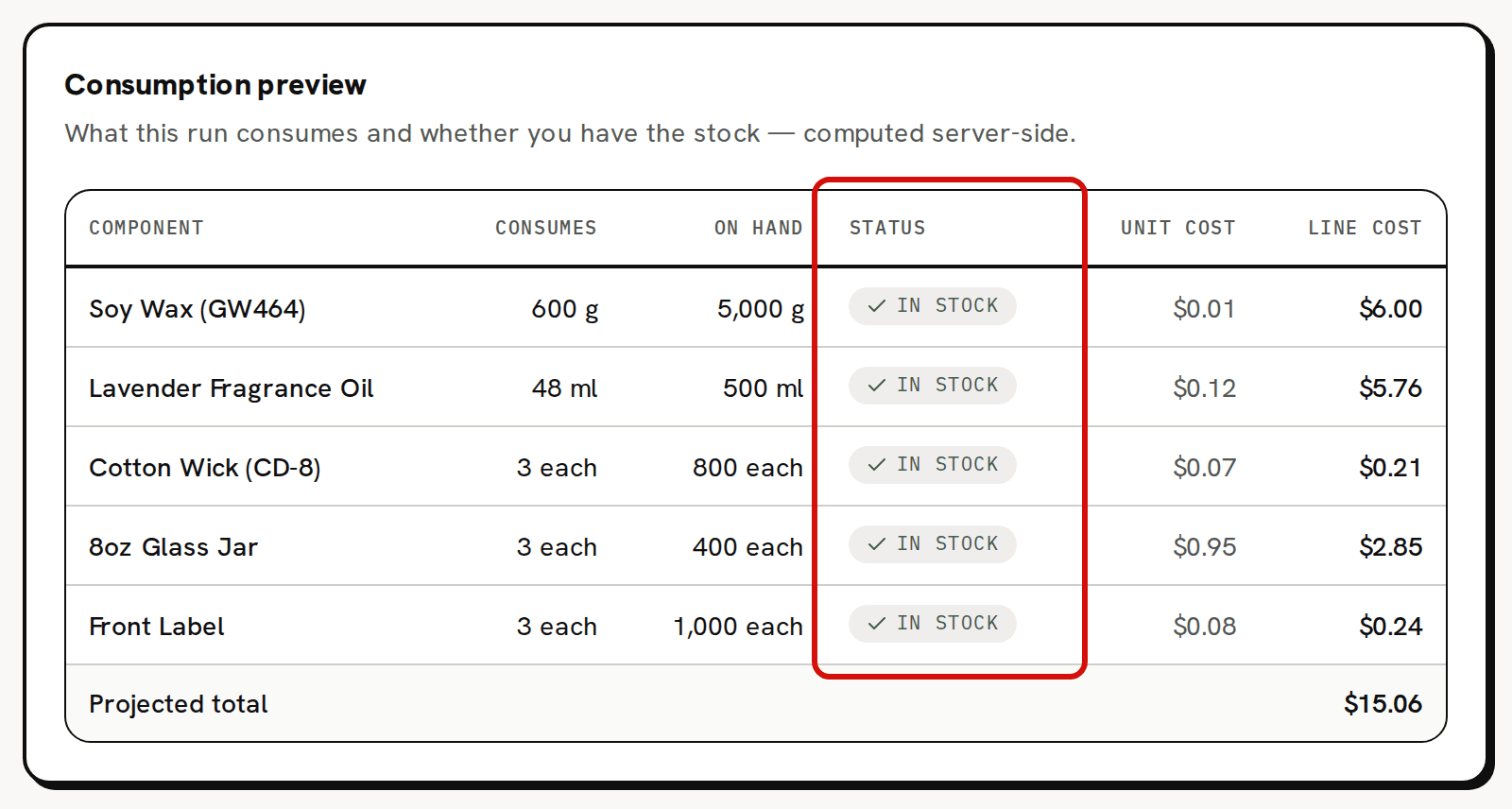
Check the Consumption preview. Each component shows what the batch Consumes, what you have On hand, and In stock or Short.
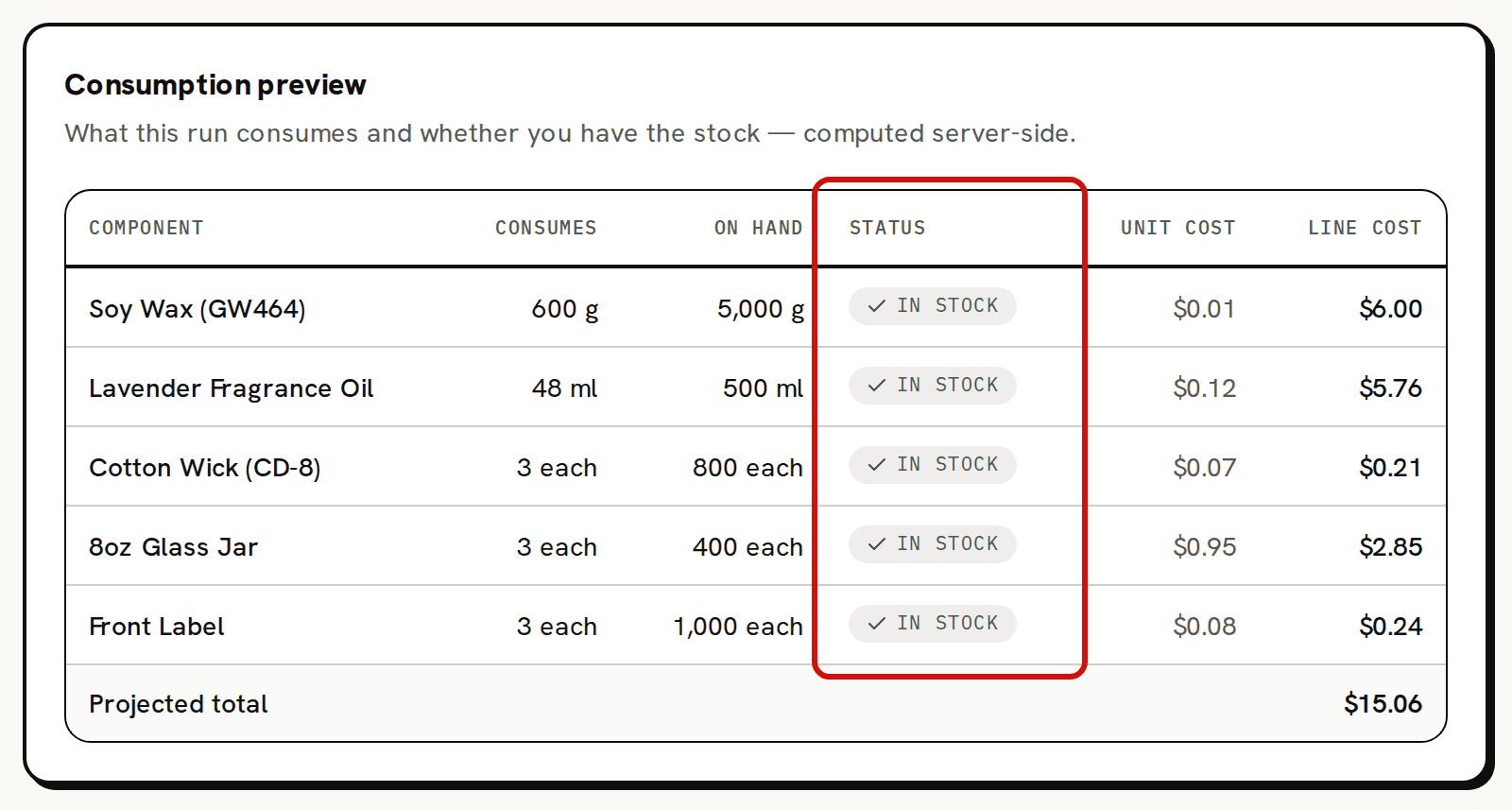
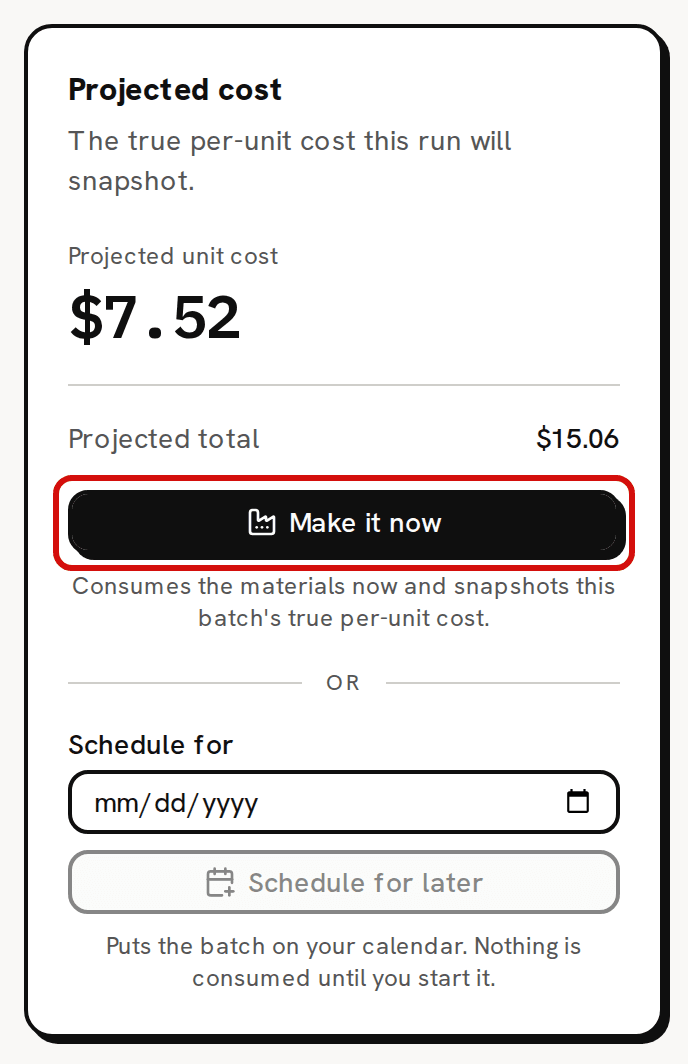
Every component: what this batch uses, what you hold, and what it costs. Read Projected unit cost in the right card. It is the unit cost Trackost records on the batch, labor included. Projected total below it is what the components cost, without labor. In a window narrower than about 1,340 px, this card can sit partly off the right edge of the screen; scroll sideways to reach it and Make it now.
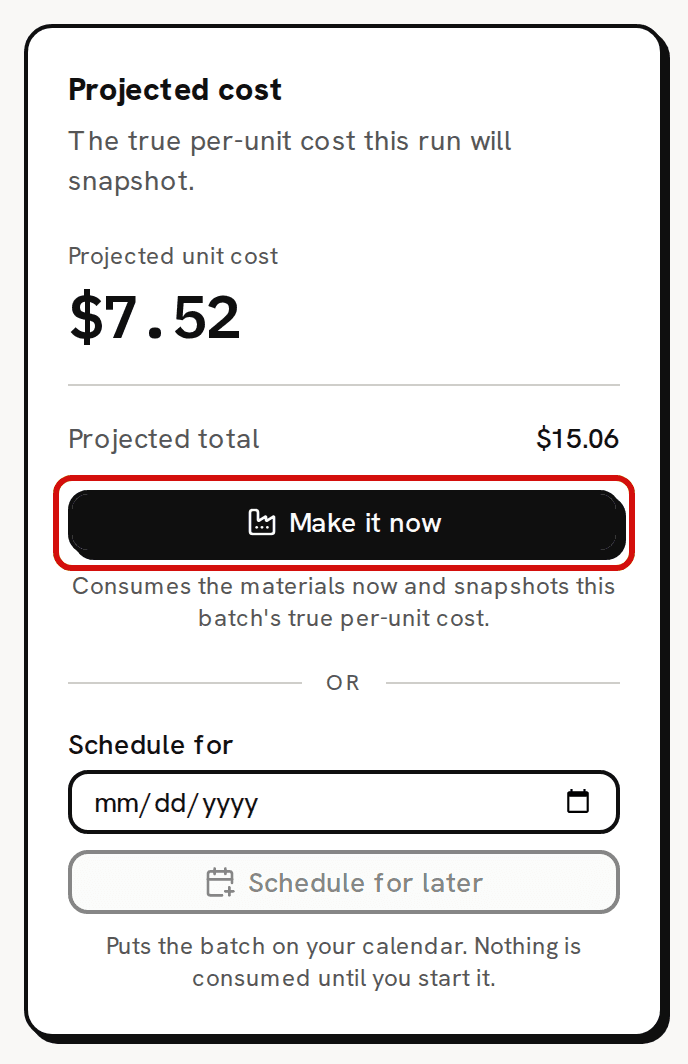
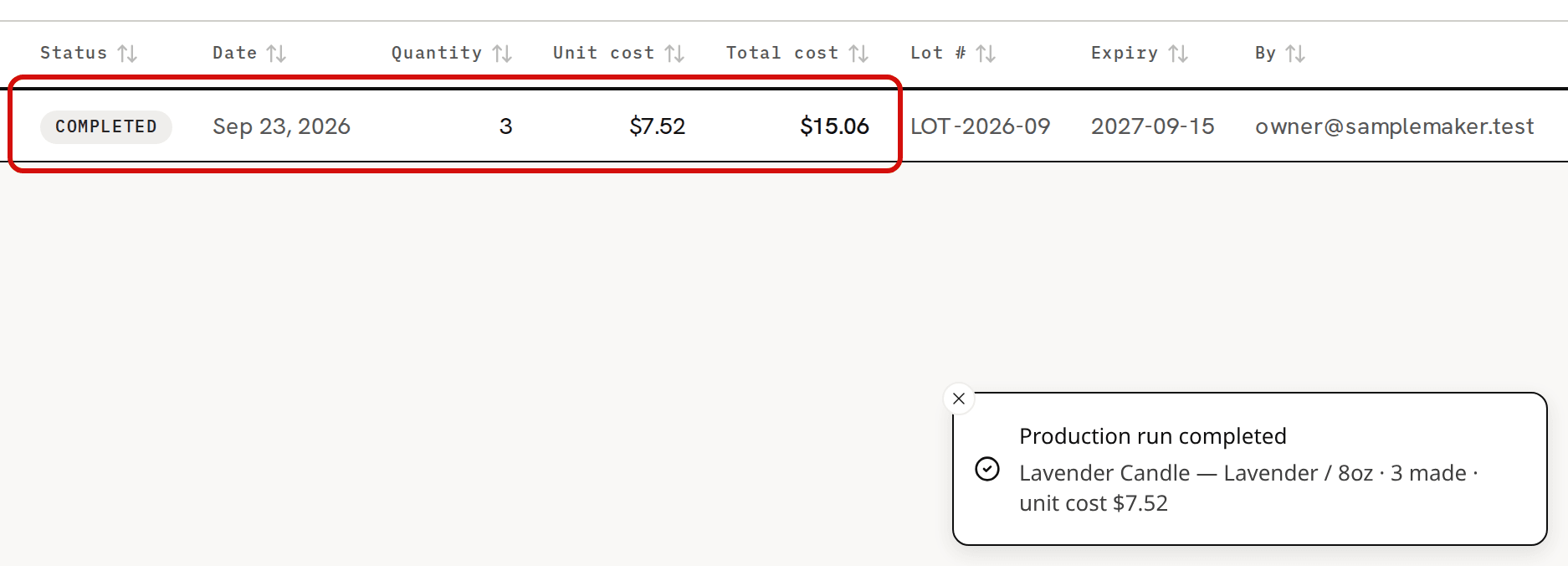
$7.52 a candle includes labor; the $15.06 total is the materials only. Click Make it now. The button reads Making… while Trackost works. 'Production run completed' appears, and you land on Production, where the new batch reads Completed with its unit cost, total cost, lot and expiry.
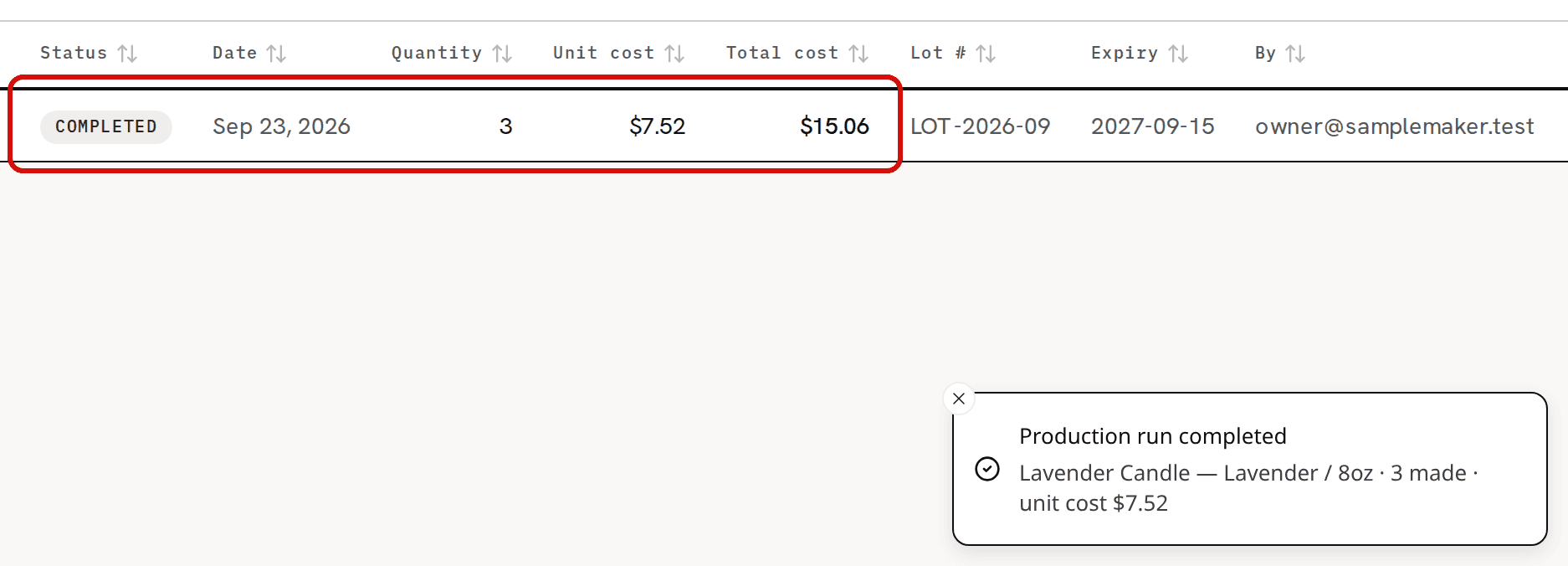
The batch is Completed, with its unit cost and total cost.
What changed
- Every component's stock dropped by what the batch used. The materials left at their current weighted-average cost, which stays the same.
- The variation's stock rose by the quantity you made, and its weighted-average cost blended in the batch's unit cost. In the sample workspace, 3 candles at $7.52 join 120 at $2.85, so Lavender / 8oz goes to 123 at $2.96.
- The batch is Completed and dated now. Its Unit cost, $7.52 for the sample candle, includes labor. Its Total cost, $15.06 for three, is what its components cost, without labor. About a batch's unit cost and total cost explains why they differ.
- The batch's page shows No frozen component list where a started batch lists its components. A batch made in one step was used, costed and closed at once, and the page explains that.
A team member without money access can make a batch too. Their planner shows no costs: the right card is titled Make this batch, and the preview has no cost columns.
If a component is short
A Short row doesn't stop you. The right card warns you: 'Some components are short on stock. You can still make this batch now — stock will go negative and the batch is flagged — or schedule it and buy what you need before you start.'
If you make the batch anyway, the short material's stock goes below zero. A second message, 'Completed with warnings', says how many components went below zero. Record the purchase you're missing. It brings the stock back above zero and settles its cost. Costing troubleshooting explains how.
If the batch is refused
- 'This transaction is dated before your inventory start date (2026-10-01). Trackost only tracks inventory from that day onward — pick a later date.' A batch made now is always dated today, and you can't pick another date, so you see this while your inventory start date is after today. East of UTC, a start date of today can refuse it too, early in your day. About the inventory start date explains the check.
- 'A component is missing cost data — check the recipe before producing.' when you click Make it now: you have sold more of the product you're making than you had, and this batch wouldn't bring its count above zero. Make more than the shortfall. The same sentence in the Consumption preview, with Make it now unavailable, means a product inside the recipe has no stock and no recipe of its own.