Create your Trackost account
Sign up with your email and password or with Google, confirm the emailed link, and land in your new workspace with a 14-day free trial.
A Trackost account comes with its own workspace and a 14-day free trial of the Studio plan, with no card to enter. You can sign up with an email address and a password, or with your Google account.
Before you start
- Use the email address you want to sign in with.
- The name you type names your workspace: Ada becomes "Ada's Workspace".
- Were you invited to someone's workspace? Sign up with the address the invitation went to. You join their workspace instead of getting a new one, and you skip the setup wizard.
- If sign-ups with email are closed, the sign-in page shows no Create account tab. Continue with Google still works.
Sign up with email and password
Go to app.trackost.com/login and open the Create account tab. The Start free trial button on trackost.com opens the same tab.
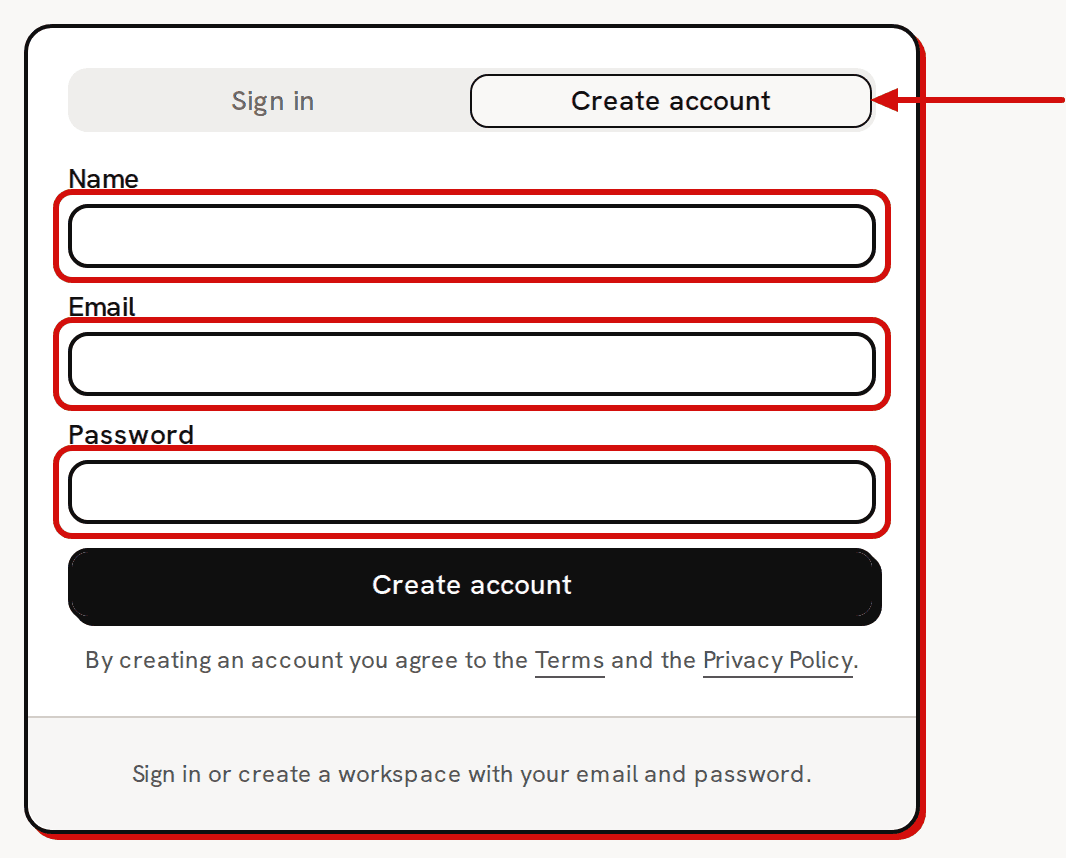
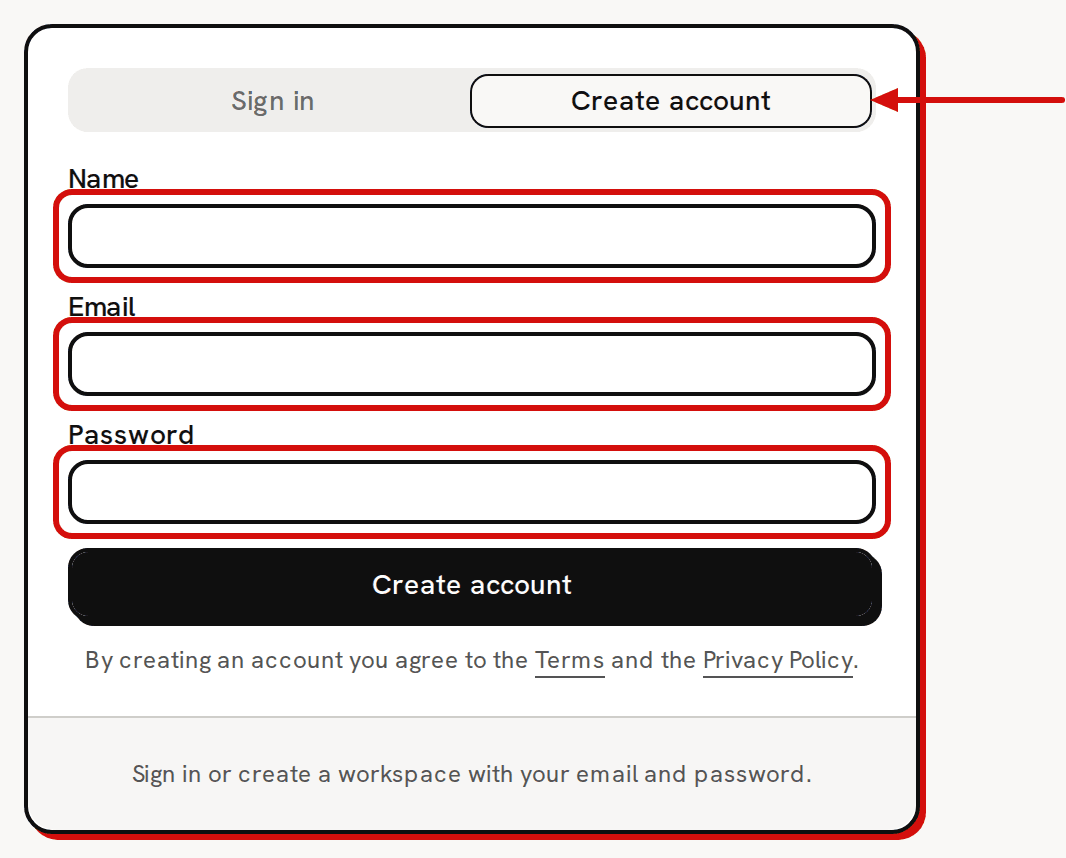
The Create account tab: name, email and password, then Create account. Type your Name.
Type your Email and a Password of at least 6 characters. A shorter one is refused with 'Password should be at least 6 characters.' That message comes from our sign-in provider, so it is always in English.
Click Create account.
Confirm your email
After Create account the form is replaced by this message: 'Check your email — we've sent a confirmation link. Click it to activate your account. If it expires, just sign up again for a fresh one.'
The message is the same whether the address is new or already has an account. Trackost never says which, so that nobody can use the form to find out who has an account. There is no resend button. Sending the form again sends a new link.
Open the email and click the link. Trackost creates your workspace and opens Get started, the setup wizard.
Or continue with Google
Click Continue with Google under the form, on either tab, and choose your Google account. There is no confirmation email. You land on the Dashboard rather than in the wizard. Your new workspace is empty, so the dashboard shows its setup board. When you're ready to set up, click Set up or import my data there, or open Get started from the sidebar, under More. Google sign-in works even when sign-ups with email are closed.
What you get: your workspace and trial
Your new workspace is empty and ready for your data. The sidebar reads 'Studio trial' under the Trackost name, and the line under the top bar counts down the days, starting at 'Trial: 14 days left'. You have every page for 14 days. About your 14-day trial and what happens when it ends explains what happens after that.
If the confirmation link expired
An old or already-used link brings you back to the sign-in page with 'That confirmation link has expired or was already used. Sign up again and we'll send a fresh one.' Fill in the Create account form again with the same details to get a new link.