About the dashboard
A tour of the Dashboard: the setup board, the underwater alert, the eight tiles, true margin by product, recent production and the stock lists, each explained.
The short answer
- An empty workspace shows a setup board instead of numbers, until you add a first material, product, batch or shop.
- Every number on the dashboard is read from your records. Nothing on it can be edited, and it never changes a figure.
- The margin table lists every product you have orders for, but its cost and profit columns fill in only once an order ships. Recent production fills in once a batch is completed.
- The red alert appears as soon as a product's price is below what it costs you, with no sale needed.
What does an empty dashboard show?
While your workspace has no materials, no products, no batches and no connected shop, the dashboard shows a setup board titled 'Finish setting up Trackost' instead of numbers. It lists four steps, Add materials, Build a recipe, Log a first batch and Connect a shop, each with a button to the page where you do it. Set up or import my data opens Get started. Beside 'Switching from Craftybase or a spreadsheet?', the link We'll migrate your data for you — free. opens Get started too.
The first material, product, batch or shop you add switches the full dashboard on, even while most of its numbers are still zero.
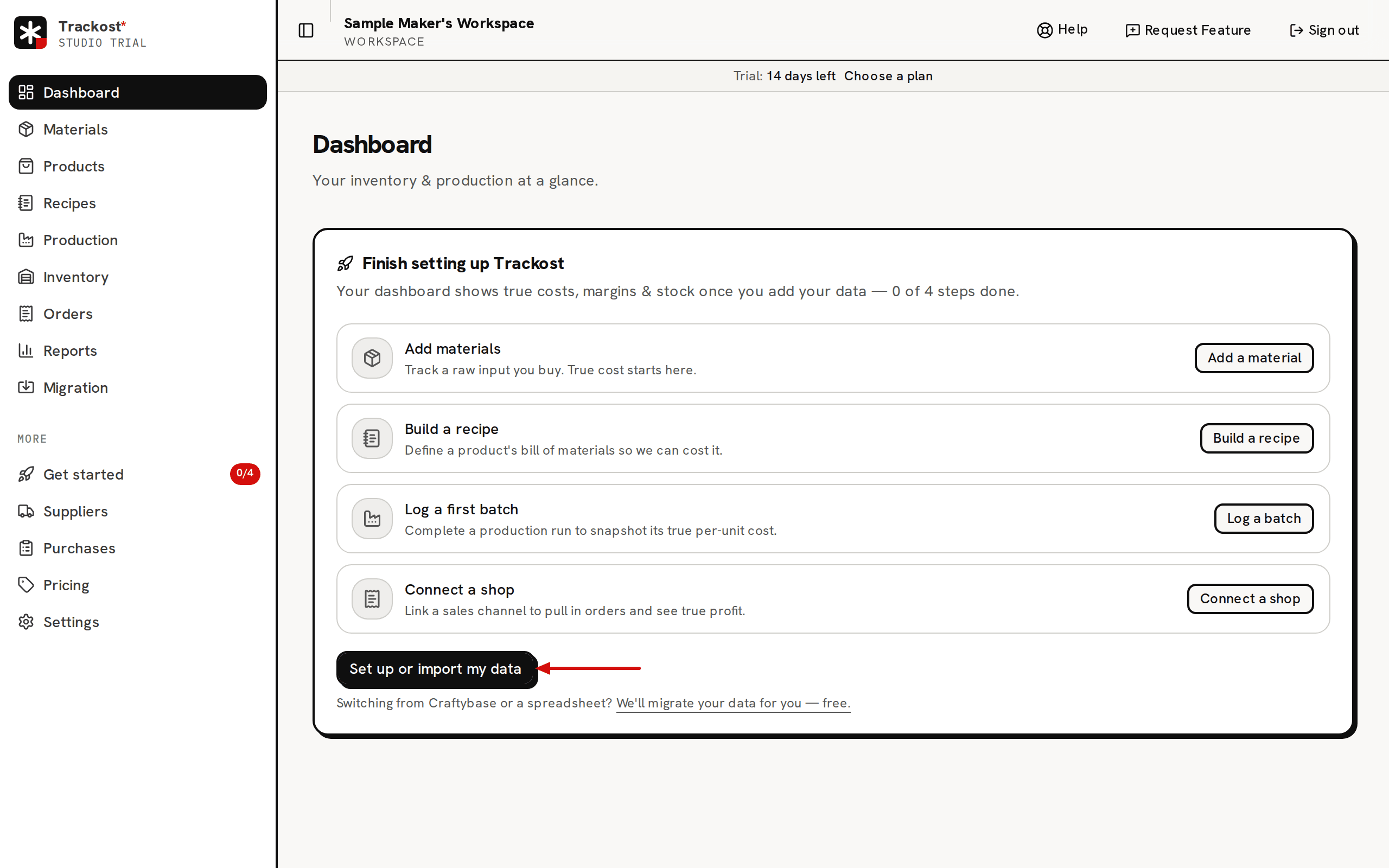
What is the Finish setup button?
Until your workspace is activated, a Finish setup button sits at the top of the dashboard. It opens Get started, and it disappears once the workspace is activated. The empty setup board has no Finish setup button. Use Set up or import my data there instead. Set up your workspace with Get started explains what activated means.
What is the red alert at the top?
A red banner appears when at least one product variation sells for less than it costs you. It says 'One product is selling below its true cost.', or how many are, then names what the worst one costs, what it sells for and what you lose on every unit. The count is of variations, so two sizes of one candle count as two. Reprice it opens Pricing.

The cost it compares against is today's unit cost. For a variation with a recipe, that is the recipe's cost now: materials at their current average cost, plus labor, without the recipe's flat overhead. For a variation without a recipe, such as a product you buy in, it is the variation's weighted-average cost. A product's recipe belongs to its default variation, so its other variations are compared at their weighted-average cost. The price is the variation's list price, or its most recent sale price if it has no list price. That is not the Full cost on Pricing, which adds the overhead.
Because the alert reads the list price, it appears as soon as a price is below cost, without waiting for a sale. The banner doesn't say which product it means; Now-unprofitable and Pricing help you find it.
What do the eight tiles mean?
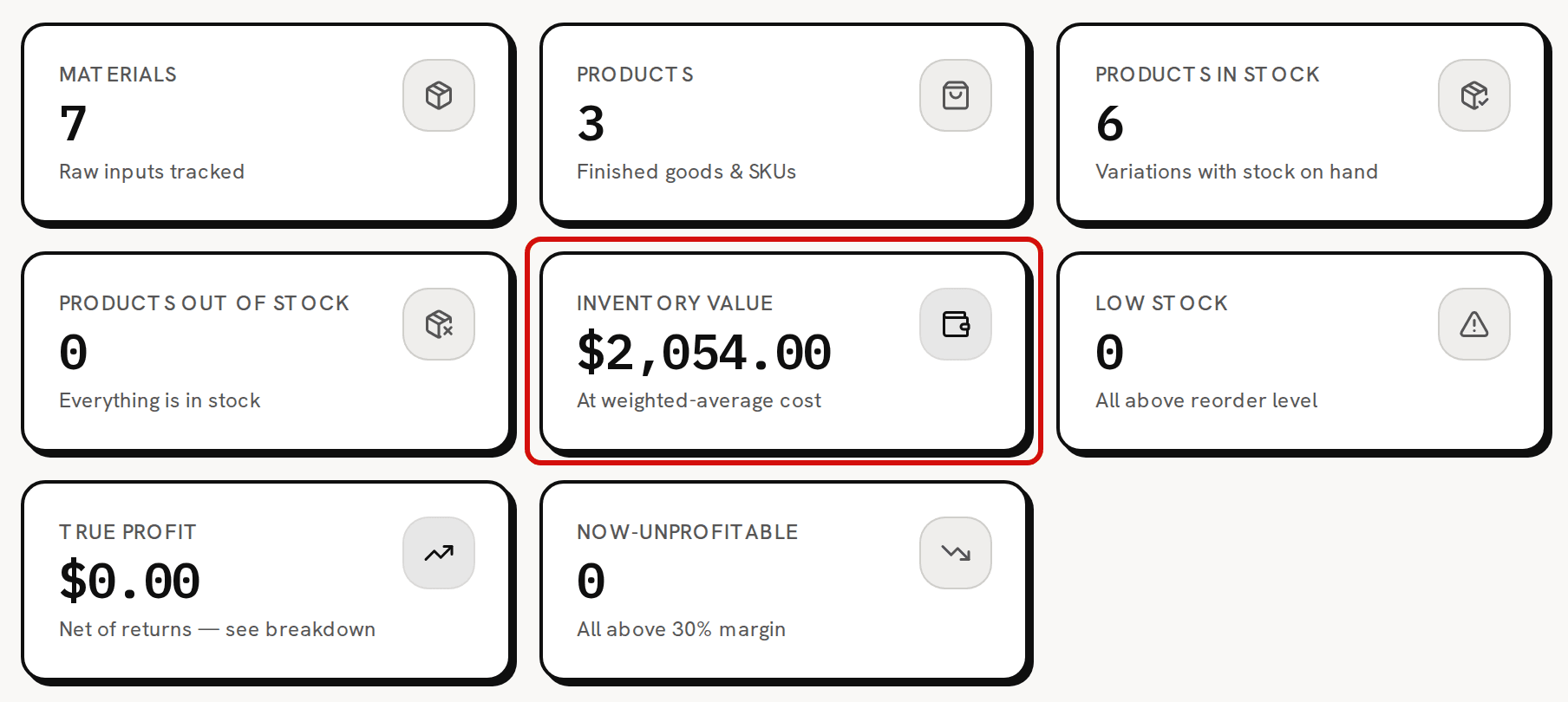
| Tile | What it counts |
|---|---|
| Materials | Every material in your workspace, tools included. |
| Products | Your products, however many variations each has. |
| Products in stock | Product variations with stock on hand. |
| Products out of stock | Product variations at zero or below. Opens Products. |
| Inventory value | The stock you hold times its weighted-average cost. Batches in progress are shown beside it, never added to it. |
| Low stock | Materials at or below their reorder threshold. |
| True profit | What your sales have made over all time, after cost of goods sold and fees, net of returns. Opens Reports. |
| Now-unprofitable | Product variations below a 30% margin, measured the same way as the red alert. Opens the Margin alerts report. |
Inventory value, True profit and Now-unprofitable need money access.
What is True margin by product?
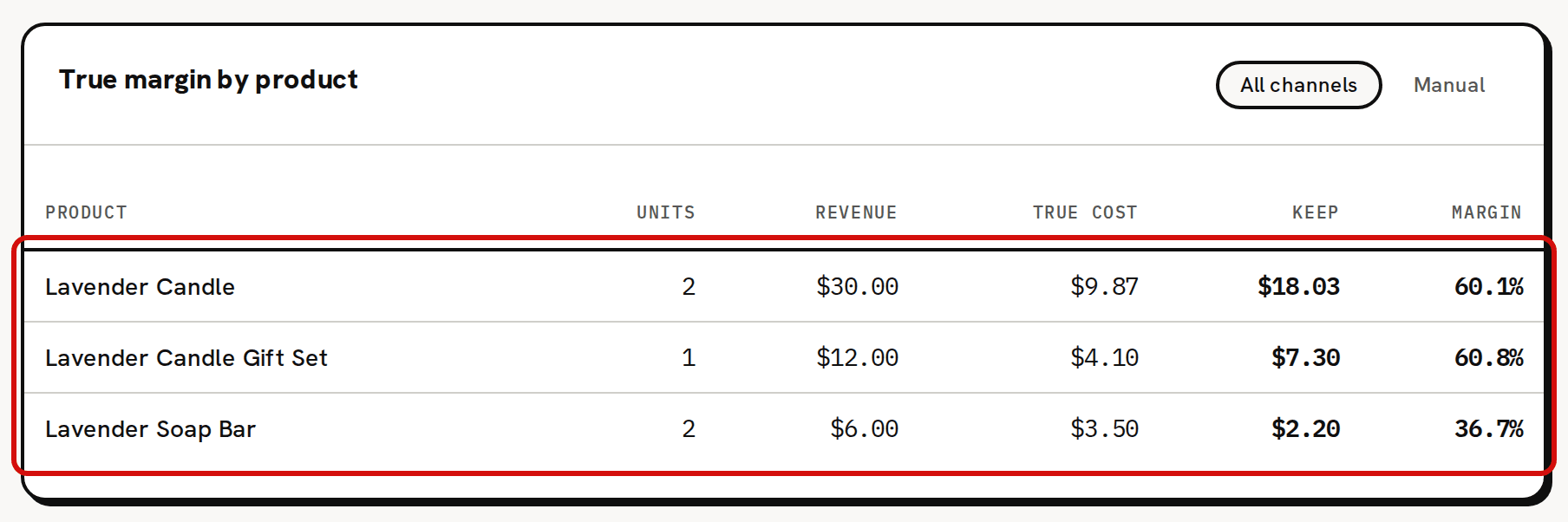
The True margin by product card lists each product you have orders for, from all your orders, with Units, Revenue, True cost, Keep and Margin. A product that lost money carries a red Underwater chip. The pills above the table filter it: All channels, Manual for orders you entered by hand, and one pill for each connected shop. Connecting a sales channel (Shopify, Etsy or Faire) isn't covered in this help center yet. Email support@trackost.com and we'll walk you through it.
Orders that haven't shipped are included. A product whose orders are all still open shows its units and revenue with '—' for True cost, Keep and Margin, because an order gets its cost only when it ships. A product with some orders shipped and some still open counts the open orders' revenue against the shipped orders' cost alone, so its Keep and Margin read too high until the rest ship. The card says 'No fulfilled orders on this channel yet — margins appear once an order ships.' only when there are no orders at all on that channel. When more than eight products have orders, a link at the bottom opens the full list in the leaderboard.
What is Recent production?
Recent production lists your five most recent completed batches, with Product, Run date, Qty and Unit cost. A batch you scheduled or started doesn't appear until you complete it. With no completed batch yet, it reads 'No production runs yet'.
What are Low stock and Out of stock?
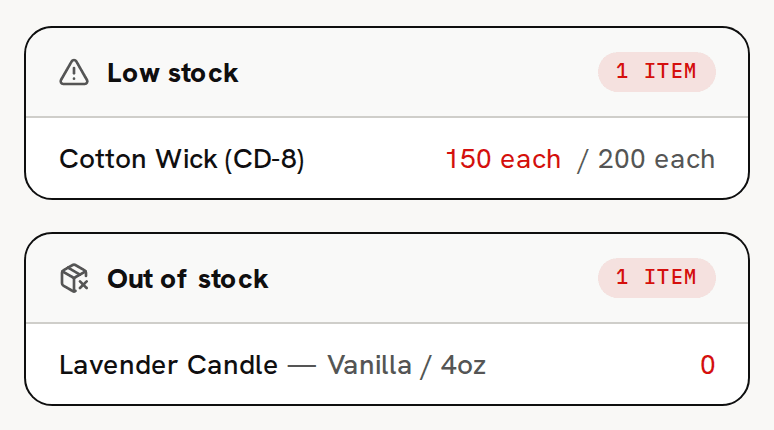
The right-hand column holds two lists. Low stock lists materials at or below their reorder threshold, as quantity over threshold, with the quantity already on order when a purchase order is open. When nothing is low it reads 'All materials are above their reorder threshold.' Out of stock lists product variations at zero or below. A variation's low-stock limit isn't used here. A variation appears only once it reaches zero.
What is Jump back in?
Six cards at the bottom open the pages you use most: Materials, Suppliers, Products, Recipes, Production and Inventory.
What do I see without money access?
A member without money access sees five tiles: Inventory value, True profit and Now-unprofitable are hidden. The margin table has no Revenue, True cost or Keep columns, Recent production has no Unit cost, and the red alert gives the count without the figures. In the sidebar, Reports, Purchases and Pricing are hidden too.
Why do the margin table and Recent production show dashes or nothing?
Recent production stays empty until you complete your first batch. True margin by product lists a product as soon as it has an order, but its cost, keep and margin read '—' until an order for it ships. The sample workspace starts with two open orders and no batches, so its margin table shows three products with dashes and Recent production is empty until you complete a batch and fulfill an order.