Record a quick purchase on a material
Log a restock of one material you already have in hand, and let Trackost add it to stock and recompute the weighted-average unit cost.
A quick purchase records stock of one material that you already have in hand. It counts the moment you save: the stock goes up and the unit cost is re-averaged. Use a purchase order instead when you buy several materials at once, have shipping or tax to spread across them, or are still waiting for the delivery.
Recording a purchase needs money access. A team member without it doesn't see the form, and Trackost refuses the save with 'Recording a purchase requires money access.' If your trial or plan has ended, it refuses with 'Your plan has ended — subscribe to continue making changes.'
Record the purchase
Open Materials and click the material you bought. Record purchase is under the three cards.
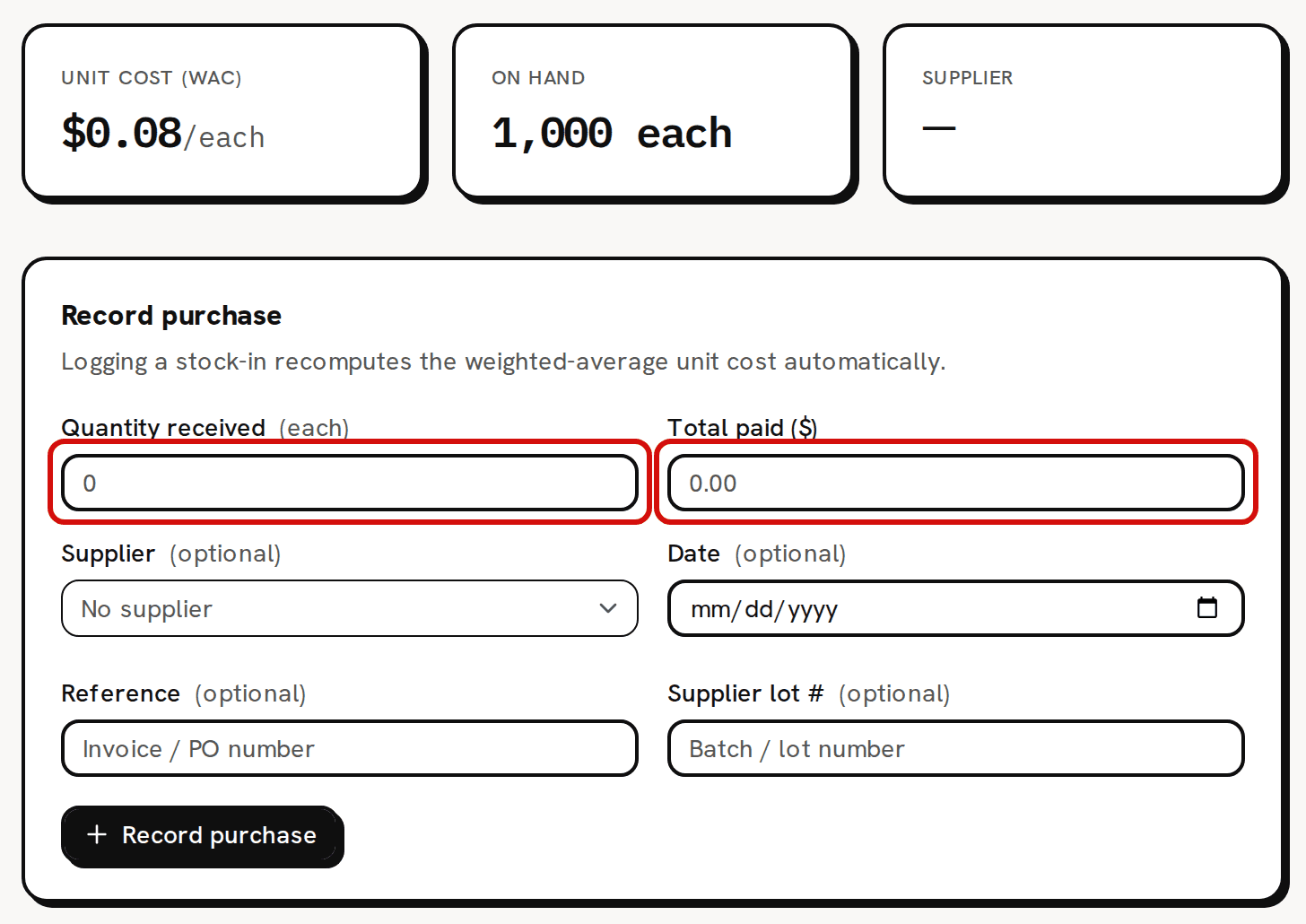
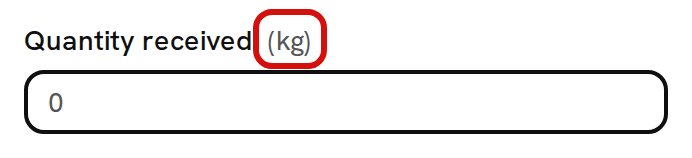
The quick purchase form on a material’s page. Type the Quantity received. The unit in brackets after the label is the material's purchase unit: (kg) for a wax you buy by the kilogram and count in grams.
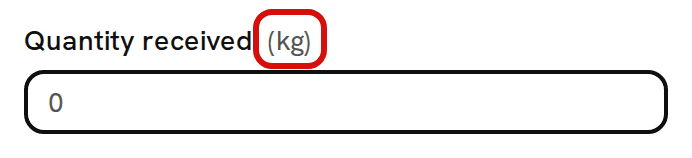
Soy Wax is bought in kg and counted in g: type kilograms here. - Type the Total paid ($) for that whole quantity, not the price per unit. If shipping or tax was part of what you paid for it, include it here.
- If you like, change the Supplier, set a Date, and type a Reference (your invoice or order number) and a Supplier lot #. The supplier starts as the material's usual one. Leave the date empty for today.
- Click Record purchase. You see 'Purchase recorded', and the form clears.
Check the cards: On hand has gone up and Unit cost (WAC) is the new weighted average.

On hand rose by 5 and the unit cost moved to the new weighted average. Check Purchase history: the purchase is listed with its quantity, total, the WAC after it, the supplier, reference and lot number.

The purchase in the history, with its reference and lot number.
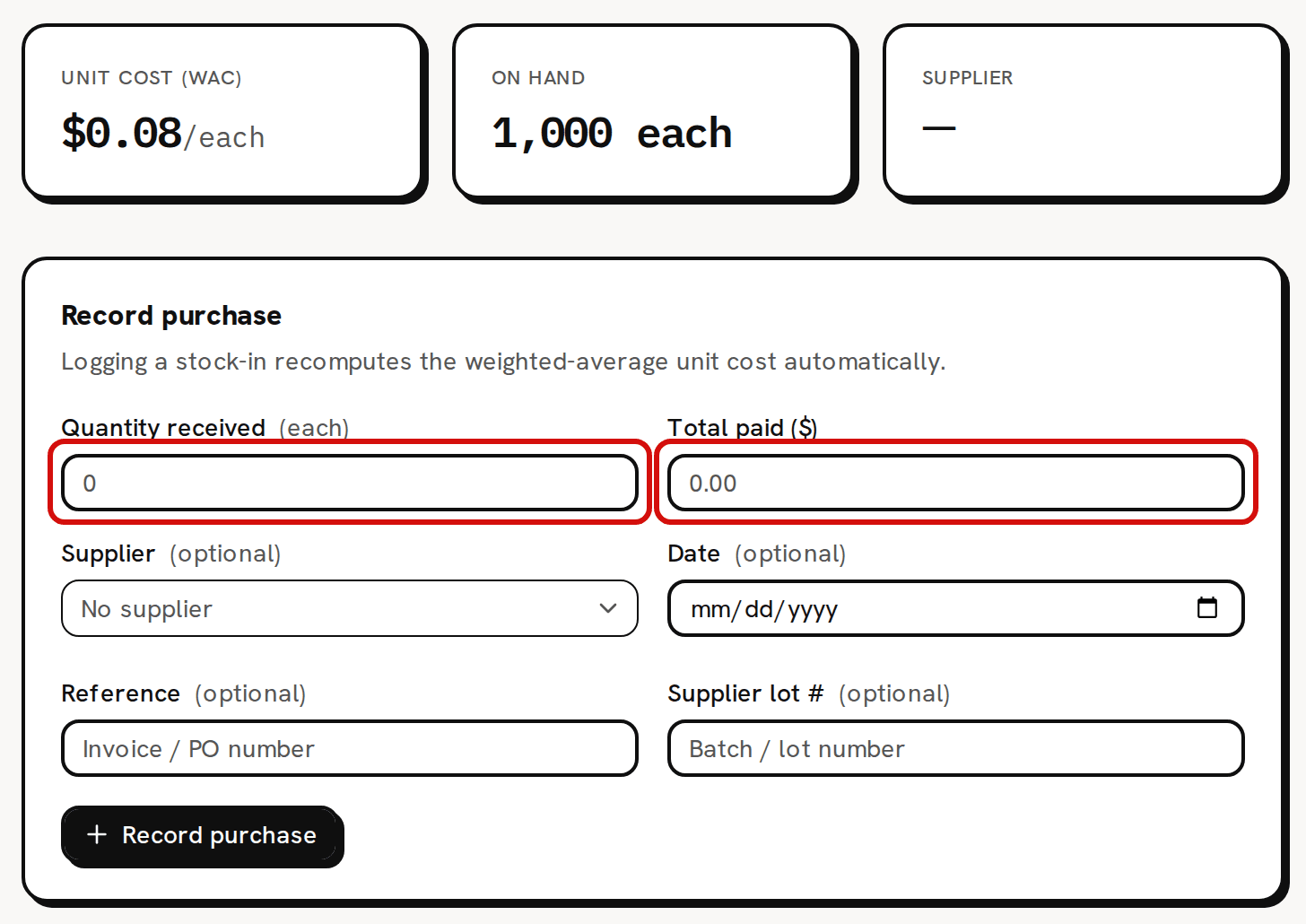


In the pictures, 5 front labels bought for $50.00 take On hand from 1,000 to 1,005 each and the unit cost from $0.08 to $0.13.
What changes on the material
- On hand goes up by the quantity, converted to the tracking unit. 2 kg of wax adds 2,000 g.
- Unit cost (WAC) blends in the purchase: (the value you had + the total paid) ÷ the new quantity. See About weighted-average cost (WAC).
- Purchase history gains a row. The list is sorted by date, newest first, so a purchase you back-date sits lower down.
- Purchases lists it too, with the status Received and your reference as its name, or 'Untitled purchase' if you left Reference empty. It is the same purchase listed in two places, because Trackost keeps every quick purchase as a one-line purchase that was received on the spot.
For a tool, a material added with Track as inventory (uncheck for tools / equipment) unchecked, the count goes up but the unit cost stays as it was. What you paid is booked as overhead instead.
A date in the past places the purchase in that period on your reports. It still blends into today's unit cost, and it can't be earlier than your inventory start date.
The quantity is in the purchase unit
Quantity received is counted in the unit in brackets after its label, and Trackost multiplies it by the material's Tracking units per purchase unit before adding it to stock. For Soy Wax (GW464), bought in kg and counted in g, type 2 for 2 kg.
Common errors
- 'Quantity received must be greater than 0': the quantity is 0.
- 'Total paid must be a valid dollar amount': the total has letters or a minus sign in it, or more than two decimal places.
- 'This transaction is dated before your inventory start date (2026-09-01). Trackost only tracks inventory from that day onward — pick a later date.', with your own start date: the Date is earlier than the Inventory start date you set under Get started. See About the inventory start date.
- If the material's count is below zero and your purchase doesn't lift it above zero, the purchase isn't saved and the page shows an error instead of a message. Record a quantity larger than the shortfall.
When Trackost refuses a purchase, the form empties: the quantity, the total and the date are cleared, so type them again after fixing the problem.
Fixing a purchase
A recorded purchase can't be edited or deleted. To reverse one, record a vendor credit for it on the same material's page, then record the purchase again with the right figures. Costing troubleshooting shows how, including the unit the credit's quantity uses.